





Working with large amounts of data in Salesforce can quickly become challenging. A normal Apex transaction works well for small operations, but processing thousands or millions of records at once can hit governor limits. That is where Batch Apex in Salesforce becomes extremely useful.
Batch Apex allows developers to process records asynchronously in smaller chunks instead of handling everything in a single transaction. As a result, Salesforce can process large datasets more efficiently while resetting governor limits for every batch execution.
In this guide, you will learn how Batch Apex works, when to use it, how to create batch classes, schedule jobs, use callouts, maintain state, and follow best practices with practical examples.
What is Batch Apex in Salesforce?
Batch Apex is an asynchronous Apex feature that processes records in smaller groups called batches. Instead of handling all records together, Salesforce divides the data into manageable chunks, usually 200 records at a time.
Each batch runs as a separate transaction. Therefore, governor limits reset for every execution.
Developers commonly use Batch Apex for:
- Processing large datasets
- Updating thousands of records
- Data cleanup operations
- Archiving old data
- Sending bulk emails
- Salesforce integrations
- Recalculating data
Queueable Apex in Salesforce for Beginners: Complete Async Processing Guide If you are already familiar with , Batch Apex is another powerful asynchronous option designed specifically for large-scale processing.
Why Use Batch Apex?
Standard Apex transactions have strict limits. For example:
- Limited SOQL queries
- Limited CPU time
- Limited heap size
- Limited DML operations
When dealing with huge datasets, synchronous Apex often fails with governor limit errors.
Batch Apex solves this problem because:
- Records are processed in smaller chunks
- Every batch gets fresh governor limits
- Jobs run in the background
- Failed batches do not stop other batches
- Large volumes can be processed safely
Because of these advantages, Batch Apex is widely used in enterprise Salesforce projects.
How Batch Apex Works
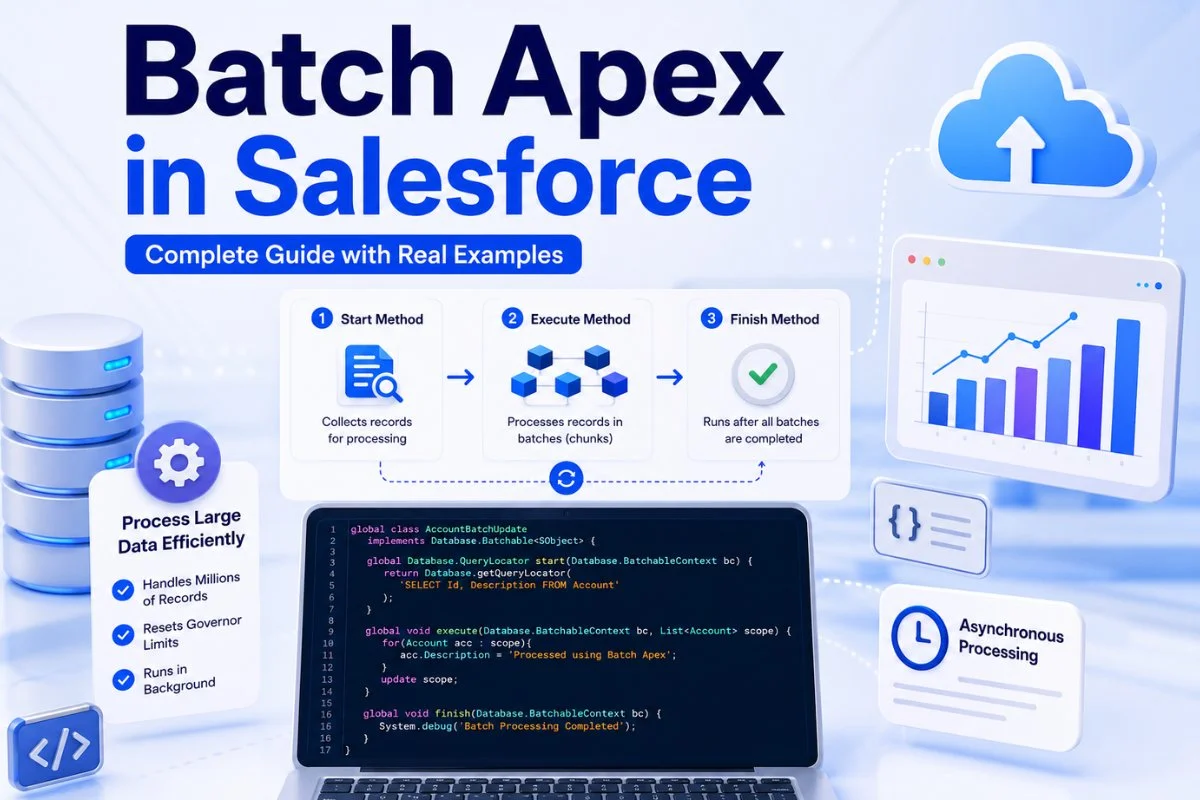
Batch Apex works through three main methods:
- Start Method
- Execute Method
- Finish Method
Salesforce executes these methods in sequence.
Start Method
The start method collects records for processing.
It usually returns:
- Database.QueryLocator
- Iterable collection
Example:
global Database.QueryLocator start(Database.BatchableContext bc) {
    return Database.getQueryLocator(
        'SELECT Id, Name FROM Account'
    );
}
The QueryLocator can process up to 50 million records.
Execute Method
The execute method processes records batch by batch.
Example:
global void execute(Database.BatchableContext bc, List<Account> scope) {

    for(Account acc : scope){
        acc.Description = 'Updated by Batch Apex';
    }

    update scope;
}
Here:
- scope contains the current batch of records
- Salesforce processes one batch at a time
- Governor limits reset for every execution
Finish Method
The finish method runs after all batches are completed.
Developers usually use it for:
- Sending emails
- Logging results
- Starting another batch job
- Post-processing activities
Example:
global void finish(Database.BatchableContext bc) {

    System.debug('Batch Job Completed');
}
Complete Batch Apex Example
Below is a practical Batch Apex example that updates Account records.
global class AccountBatchUpdate
implements Database.Batchable<SObject> {

    global Database.QueryLocator start(
        Database.BatchableContext bc
    ) {

        return Database.getQueryLocator(
            'SELECT Id, Description FROM Account'
        );
    }

    global void execute(
        Database.BatchableContext bc,
        List<Account> scope
    ) {

        for(Account acc : scope){
            acc.Description = 'Processed using Batch Apex';
        }

        update scope;
    }

    global void finish(Database.BatchableContext bc) {

        System.debug('Batch Processing Completed');
    }
}
To execute this batch:
AccountBatchUpdate batchJob = new AccountBatchUpdate();

Database.executeBatch(batchJob, 200);
The second parameter represents batch size.
Understanding Batch Size
Batch size controls how many records Salesforce processes in one execution.
Example:
Database.executeBatch(batchJob, 100);Here Salesforce processes:
- 100 records per batch
- Separate transaction for every batch
Smaller batch sizes help reduce CPU and heap usage. However, larger batch sizes reduce the total number of executions.
In most projects:
- 100 to 200 works well
- Complex logic may require smaller sizes
When Should You Use Batch Apex?
Use Batch Apex when:
- Processing more than 50,000 records
- Performing scheduled maintenance jobs
- Running heavy data operations
- Working with integrations
- Updating large datasets
- Cleaning duplicate records
However, avoid Batch Apex for small tasks.
For lightweight async processing, Queueable Apex in Salesforce for Beginners: Complete Async Processing Guide is usually a better choice.

Batch Apex vs Queueable Apex
Many beginners get confused between Batch Apex and Queueable Apex.
Here is the simple difference:
| Feature | Batch Apex | Queueable Apex |
|---|---|---|
| Best For | Large datasets | Small async tasks |
| Records | Millions | Smaller volume |
| Processing | Batch chunks | Single transaction |
| Governor Limits | Reset per batch | One transaction |
| Chaining | Supported | Supported |
| Complexity | Higher | Easier |
If your job processes thousands of records, Batch Apex is usually the correct solution.
Using Database.Stateful in Batch Apex
Normally, variables reset after every batch execution.
However, Database.Stateful allows values to persist across transactions.
Example:
global class StatefulBatchExample
implements Database.Batchable<SObject>,
Database.Stateful {

    global Integer totalRecords = 0;

    global Database.QueryLocator start(
        Database.BatchableContext bc
    ) {

        return Database.getQueryLocator(
            'SELECT Id FROM Account'
        );
    }

    global void execute(
        Database.BatchableContext bc,
        List<Account> scope
    ) {

        totalRecords += scope.size();
    }

    global void finish(
        Database.BatchableContext bc
    ) {

        System.debug(
            'Total Records Processed: ' + totalRecords
        );
    }
}
This is helpful for:
- Counting processed records
- Storing totals
- Building summaries
Using Callouts in Batch Apex
Sometimes Batch Apex must connect to external systems.
For example:
- REST APIs
- Payment systems
- ERP platforms
To allow callouts, implement Database.AllowsCallouts.
Example:
global class CalloutBatch
implements Database.Batchable<SObject>,
Database.AllowsCallouts {

}
Without this interface, HTTP callouts fail.
Types of Salesforce Integrations: Complete Guide for Beginners If you are learning integrations, also read
Scheduling Batch Apex
Salesforce also allows scheduling batch jobs.
Example:
String cronExp = '0 0 2 * * ?';

System.schedule(
    'Daily Batch Job',
    cronExp,
    new ScheduledBatchClass()
);
This example runs the job daily at 2 AM.
Scheduling is commonly used for:
- Nightly cleanup jobs
- Data synchronization
- Reports processing
- Automated maintenance
Chaining Batch Jobs
A batch job can start another batch job from the finish method.
Example:
global void finish(Database.BatchableContext bc) {

    Database.executeBatch(
        new AnotherBatchJob()
    );
}
This technique is called batch chaining.
It is useful when:
- Multiple operations depend on each other
- Processing must happen sequentially
- Data pipelines require multiple stages
Monitoring Batch Jobs
You can monitor jobs from:
Setup → Apex Jobs
Here you can view:
- Job status
- Progress
- Errors
- Processing time
Statuses include:
- Holding
- Queued
- Processing
- Completed
- Failed
- Aborted
Monitoring becomes important in production environments.

Batch Apex Best Practices
Following best practices improves performance and prevents failures.
Use Selective SOQL Queries
Always filter records properly.
Bad query:
SELECT Id FROM AccountBetter query:
SELECT Id FROM Account
WHERE CreatedDate = TODAY
Keep Execute Logic Lightweight
Heavy processing increases CPU usage.
Try to:
- Avoid nested loops
- Minimize DML statements
- Reduce SOQL inside loops
SOQL Query Examples for Beginners in Salesforce (2026 Guide) You can improve SOQL performance further with
Avoid Batch Apex in Triggers
Starting batch jobs from triggers can create too many async jobs.
Instead:
- Use Queueable Apex
- Use Platform Events
- Use Scheduled Jobs carefully
Choose Proper Batch Size
Complex logic should use smaller batch sizes.
Simple updates can use larger sizes.
Handle Errors Properly
Always use try-catch blocks where necessary.
Example:
try {

    update scope;

} catch(Exception e){

    System.debug(e.getMessage());
}
Testing Batch Apex
Salesforce requires test classes for deployment.
Example:
@isTest
private class BatchTestClass {

    @isTest
    static void testBatch(){

        List<Account> accounts = new List<Account>();

        for(Integer i = 0; i < 50; i++){

            accounts.add(
                new Account(Name = 'Test ' + i)
            );
        }

        insert accounts;

        Test.startTest();

        AccountBatchUpdate batch =
            new AccountBatchUpdate();

        Database.executeBatch(batch, 10);

        Test.stopTest();
    }
}
Important points:
- Use Test.startTest()
- Use Test.stopTest()
- Test asynchronously executed jobs properly
You should also read Apex Test Classes for Beginners: Step-by-Step Guide to Salesforce Testing.
Common Batch Apex Limitations
Batch Apex also has limits.
Important ones include:
- Maximum 5 active batch jobs
- Maximum 100 holding jobs
- Maximum 50 million QueryLocator records
- Default batch size is 200
- Callout limits still apply
Therefore, designing optimized jobs is very important.
Real-World Batch Apex Scenarios
Here are common business use cases:
Data Archiving
Move old records to archive objects.
Nightly Data Cleanup
Delete temporary records automatically.
External System Sync
Update ERP or billing systems daily.
Lead Updates
Process thousands of leads overnight.
Mass Record Updates
Update account statuses or ownership in bulk.
Final Thoughts
Batch Apex is one of the most important asynchronous processing tools in Salesforce development. It allows developers to process huge datasets efficiently while staying within governor limits.
Once you understand batch classes, scheduling, stateful processing, callouts, and testing, you can build scalable enterprise solutions much more confidently.
For Salesforce developers working with large-scale automation and integrations, learning Batch Apex is an essential skill.


