





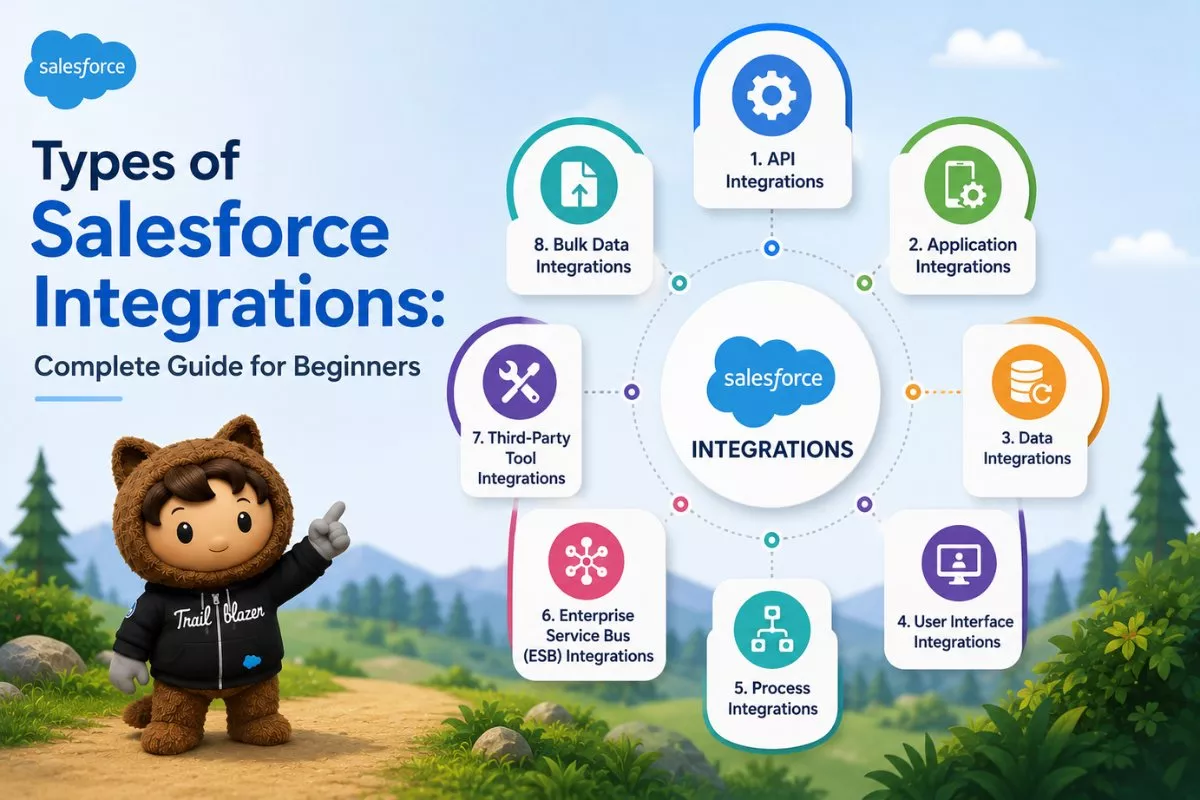
If you are working with Salesforce, one thing becomes clear very quickly: Salesforce alone is not enough.
Most businesses rely on multiple systems such as:
- ERP systems
- marketing platforms
- payment gateways
- external databases
To make everything work together, you need Salesforce integration.
But here is where many beginners get confused.
They know integration is important, but they do not understand the different types of Salesforce integrations and when to use each one.
In this guide, we will break everything down in a simple and practical way.
Common Problems Developers Face
Before understanding the types, let’s look at real issues:
1. Data not syncing properly
Customer data is different in Salesforce and other systems.
2. Manual work increases
Without integration, teams have to update data manually.
3. Wrong integration approach
Choosing the wrong type leads to:
- slow performance
- system failures
- poor user experience
4. Overcomplicated architecture
Many beginners try complex integrations when a simple solution would work.
What is Salesforce Integration
Salesforce integration means connecting Salesforce with external systems so they can:
- share data
- automate processes
- work as one system
Now let’s understand the main types of Salesforce integrations.
Main Types of Salesforce Integrations
1. Data Integration
This is the most common type.
It focuses on synchronizing data between systems.
Example
- syncing customer records between Salesforce and an ERP system
- updating contact details automatically
Tools Used
- REST API
- SOAP API
- Bulk API
Key Benefit
Ensures data is always consistent across systems
2. Process Integration
This type connects business processes across systems.
Instead of just sharing data, it automates workflows.
Example
- when an opportunity is closed, create an order in another system
- trigger billing automatically
Tools Used
- Apex callouts
- Platform Events
- Workflow automation
Key Benefit
Removes manual work and improves efficiency
3. User Interface Integration
This allows users to see external data inside Salesforce without storing it.
Example
- showing live order details from an external system
- displaying customer data from another platform
Tools Used
- Salesforce Connect
- Lightning Components
Key Benefit
Real-time data access without duplication
4. Business Logic Integration
This type focuses on connecting logic between systems.
It allows Salesforce to:
- call external services
- use external logic
Example
- validating an address using an external API
- calculating pricing in another system
Tools Used
- Apex REST API
- External services
Key Benefit
Enables advanced custom functionality
5. Event-Driven Integration
This is used for real-time communication between systems.
Instead of constant checking, systems react to events.
Example
- when a record is updated, notify another system instantly
Tools Used
- Platform Events
- Change Data Capture
- Streaming API
Key Benefit
Real-time updates with low delay
6. Middleware-Based Integration
This is used for complex integrations involving multiple systems.
Middleware acts as a bridge between systems.
Example
- integrating Salesforce with SAP, Oracle, and other tools
Tools Used
- MuleSoft
- Dell Boomi
- Informatica
Key Benefit
Centralized control and scalability
These core types are based on common Salesforce integration architecture patterns
Salesforce Integration Patterns (Important)
Along with types, Salesforce also supports patterns:
Request and Reply
Salesforce sends a request and waits for response
Fire and Forget
Salesforce sends data but does not wait
Batch Integration
Data is processed in bulk at intervals
Data Virtualization
Access external data without storing it
How to Choose the Right Integration Type
Use this simple approach:
- need data sync → Data Integration
- need automation → Process Integration
- need real-time UI → UI Integration
- need custom logic → Business Logic Integration
- need real-time events → Event-Driven Integration
- need complex systems → Middleware
Advantages of Salesforce Integration
- reduces manual work
- improves data accuracy
- automates workflows
- enhances user experience
- enables scalability
Common Mistakes to Avoid
- choosing complex integration for simple use case
- ignoring performance impact
- not planning data flow properly
- lack of error handling
Final Thoughts
Understanding the types of Salesforce integrations is essential if you want to build scalable and efficient systems.
Each type serves a specific purpose.
The key is not to use all of them, but to choose the right one for your use case.


