





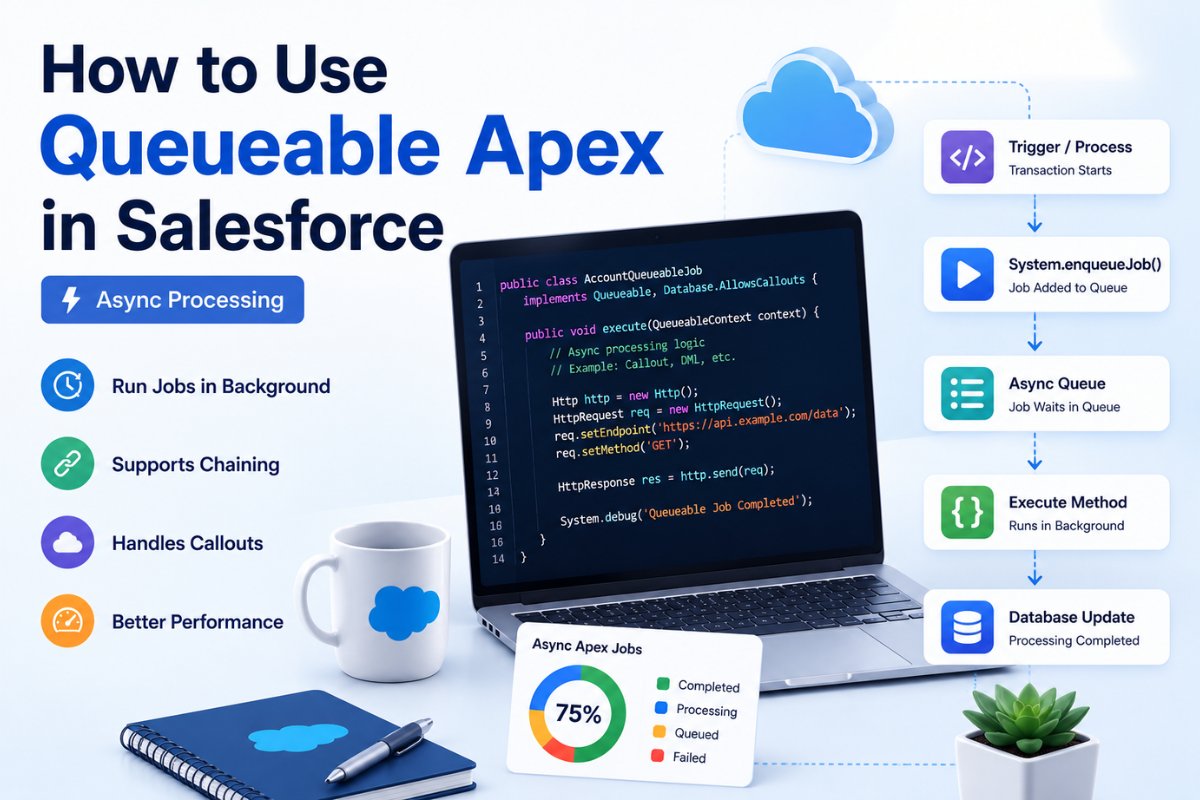
When Salesforce operations take longer to process, running everything synchronously can slow down the user experience and even hit governor limits. That is where Queueable Apex in Salesforce becomes extremely useful.
Queueable Apex allows developers to move heavy processing into the background so users can continue working without waiting for the transaction to finish. It is commonly used for API callouts, large data processing, integrations, email handling, and chained asynchronous jobs.
Salesforce Developer Console Tutorial for Beginners If you already understand basic Apex concepts, triggers, and SOQL Query Examples for Beginners in Salesforce (2026 Guide) then learning Queueable Apex becomes much easier. You can first review and to strengthen your fundamentals before implementing asynchronous processing.
In this guide, you will learn:
- What Queueable Apex is
- Why developers use Queueable Apex
- Queueable Apex vs Future Methods
- Queueable Apex chaining
- Callouts using Queueable Apex
- Queueable Apex limits
- Queueable Apex test classes
- Real-world use cases
- Best practices and common mistakes
What Is Queueable Apex in Salesforce?
Queueable Apex in Salesforce is an asynchronous Apex framework that allows developers to run code in the background using the Queueable interface.
Instead of executing heavy operations immediately inside the same transaction, Salesforce places the job into a queue and processes it asynchronously when resources become available.
This improves:
- User experience
- Performance
- Scalability
- Transaction handling
A Queueable Apex class must implement the Queueable interface and include the execute() method.
Basic structure:
public class MyQueueableJob implements Queueable {

    public void execute(QueueableContext context) {

        System.debug('Queueable job executed');

    }
}
To start the job:
System.enqueueJob(new MyQueueableJob());Salesforce returns a Job ID that can be used to track execution status.
Why Use Queueable Apex in Salesforce?
Developers use Queueable Apex when processing should happen asynchronously but still requires more flexibility than Future Methods.
Queueable Apex is ideal when:
- Processing large data operations
- Performing external API callouts
- Sending emails asynchronously
- Running complex business logic
- Chaining multiple background jobs
- Passing complex objects or sObjects
For example, if a trigger inserts 500 records and each record requires an API callout, synchronous processing can quickly hit limits. Queueable Apex solves this by processing records in the background efficiently.
Salesforce Validation Rules with Real Examples for Beginners If you work with automation and triggers frequently, also check and Mixed DML Operation Error in Salesforce with Fixes because these concepts often appear together in enterprise implementations.
Queueable Apex vs Future Method
Many beginners ask whether they should use Future Methods or Queueable Apex.
Salesforce now recommends Queueable Apex in most modern implementations.
| Feature | Future Method | Queueable Apex |
|---|---|---|
| Monitoring Support | No | Yes |
| Job Chaining | No | Yes |
| Supports Complex Objects | No | Yes |
| Job ID Available | No | Yes |
| Better Debugging | Limited | Advanced |
| Recommended by Salesforce | Less Preferred | Recommended |
Future methods only support simple data types, while Queueable Apex supports complex objects and sObjects.
Queueable Apex also allows chaining, which means one asynchronous job can start another job automatically.
How Queueable Apex Works
The process works like this:
- User action or trigger starts
- Salesforce adds Queueable job to async queue
- Current transaction finishes
- Queueable job executes separately in background
- Optional chained job starts afterward

Creating Your First Queueable Apex Class
Here is a beginner-friendly example.
Queueable Apex Example
public class AccountQueueableJob implements Queueable {

    public void execute(QueueableContext context) {

        Account acc = new Account(
            Name = 'Global Technologies'
        );

        insert acc;

        System.debug('Account Created Successfully');

    }
}
Run the Queueable job:
ID jobId = System.enqueueJob(new AccountQueueableJob());

System.debug(jobId);
Monitoring Queueable Apex Jobs
One major advantage of Queueable Apex in Salesforce is job monitoring.
You can track execution using the AsyncApexJob object.
AsyncApexJob jobInfo = [

    SELECT Id, Status, NumberOfErrors

    FROM AsyncApexJob

    WHERE Id = :jobId

];
Common statuses:
- Holding
- Queued
- Processing
- Completed
- Failed
- Aborted
You can also monitor jobs from:
Setup → Apex Jobs
Salesforce Inspector Reloaded Explained for Beginners If you use tools for debugging and query analysis, then and Salesforce Workbench Tutorial for Beginners can help speed up troubleshooting.
Queueable Apex Chaining in Salesforce
One of the most powerful features is chaining.
A Queueable job can start another Queueable job after completion.
First Queueable Job
public class FirstJob implements Queueable {

    public void execute(QueueableContext context) {

        System.debug('First Job Running');

        System.enqueueJob(new SecondJob());

    }
}
Second Queueable Job
public class SecondJob implements Queueable {

    public void execute(QueueableContext context) {

        System.debug('Second Job Running');

    }
}
This is useful when:
- Processing records in batches
- Multi-step integrations
- Sequential operations
- Long-running business logic
Queueable Apex Callout Example
Queueable Apex supports HTTP callouts using Database.AllowsCallouts.
public class ApiCalloutJob implements Queueable, Database.AllowsCallouts {

    public void execute(QueueableContext context) {

        Http http = new Http();

        HttpRequest req = new HttpRequest();

        req.setEndpoint('https://api.example.com/data');

        req.setMethod('GET');

        HttpResponse res = http.send(req);

        System.debug(res.getBody());

    }
}
This is commonly used in:
- Payment integrations
- ERP integrations
- External APIs
- Third-party systems
If you are learning integrations, also read Salesforce CLI Installation and Setup Guide and VS Code Setup for Salesforce Development because professional integration work usually happens inside modern Salesforce DX projects.

Queueable Apex with Trigger Example
A very common use case is calling Queueable Apex from triggers.
trigger ContactTrigger on Contact (after insert) {

    System.enqueueJob(

        new ContactQueueableJob(Trigger.new)

    );

}
Queueable class:
public class ContactQueueableJob implements Queueable {

    private List<Contact> contacts;

    public ContactQueueableJob(List<Contact> contacts) {

        this.contacts = contacts;

    }

    public void execute(QueueableContext context) {

        System.debug(contacts);

    }
}
This approach keeps trigger execution lightweight and avoids governor limit issues.
Queueable Apex Limits
Understanding limits is very important.
Important Queueable Apex Limits
| Limit | Value |
|---|---|
| Queueable jobs per transaction | 50 |
| Chained jobs from async context | 1 |
| Maximum callouts | 100 |
| Developer org chain depth | 5 |
| Heap size async | Higher than synchronous |
You should always design Queueable logic carefully to avoid hitting async limits.
For deployment-related implementations and enterprise development practices, you can also explore Salesforce DevOps Center Made Simple for Beginners
Queueable Apex Test Class Example
Testing Queueable Apex is mandatory for deployment.
Queueable Apex Test Class
@IsTest
public class AccountQueueableJobTest {

    @IsTest
    static void testQueueableJob() {

        Test.startTest();

        System.enqueueJob(

            new AccountQueueableJob()

        );

        Test.stopTest();

        Account acc = [

            SELECT Id, Name

            FROM Account

            WHERE Name = 'Global Technologies'

            LIMIT 1

        ];

        System.assertNotEquals(null, acc);

    }
}
Test.startTest() and Test.stopTest() force asynchronous execution during testing.
If you are still learning testing concepts, definitely read Apex Test Classes for Beginners: Step-by-Step Guide to Salesforce Testing because it explains code coverage, assertions, and test execution in detail.
Real-World Use Cases of Queueable Apex
API Integrations
Send customer data to external ERP or payment systems asynchronously.
Email Processing
Generate reports and send emails in the background.
Large Data Operations
Process records without slowing down users.
Chained Processing
Execute dependent operations step by step.
File Processing
Handle attachments and document generation asynchronously.
Common Mistakes Beginners Make
Calling Too Many Queueable Jobs
Avoid unnecessary job creation inside loops.
Ignoring Governor Limits
Always monitor async processing limits.
Using Queueable for Millions of Records
Use Batch Apex for extremely large datasets.
No Error Handling
Always use try-catch blocks when possible.
Heavy Trigger Logic
Keep triggers lightweight and delegate processing properly.
Queueable Apex Best Practices
- Keep execute() logic focused
- Avoid DML inside loops
- Use bulkified logic
- Monitor AsyncApexJob records
- Use chaining carefully
- Use Queueable instead of Future Methods in most cases
- Add proper logging and debugging
- Write strong test classes
When Should You Use Batch Apex Instead?
Queueable Apex is excellent for medium asynchronous processing.
But if you need:
- Millions of records
- Scheduled batch processing
- Large-scale database operations
Then Batch Apex is usually the better choice.
Final Thoughts
Queueable Apex in Salesforce is one of the most important asynchronous processing tools for modern Salesforce developers. It provides better flexibility, monitoring, chaining, and scalability compared to older Future Methods.
Once you understand Queueable Apex properly, building scalable integrations and enterprise-level Salesforce applications becomes much easier.
For developers preparing for advanced Salesforce coding and integrations, mastering Queueable Apex is absolutely essential.


