





Managing deployments in Salesforce becomes difficult very quickly when multiple admins and developers work in the same org.
For example, one developer updates an Apex class while another admin modifies a Flow. At the same time, someone changes permissions directly in Production. Because of this, deployments often become messy and difficult to track.
Teams usually face problems like:
- missing deployment components
- overwritten metadata
- failed deployments
- manual deployment mistakes
- poor collaboration between admins and developers
This is exactly where Salesforce DevOps Center becomes useful.
Instead of relying completely on manual deployment methods, DevOps Center introduces a more organized release management process using:
- GitHub
- source tracking
- deployment pipelines
- work items
- controlled release stages
Today, many Salesforce teams are slowly moving away from traditional Change Sets and adopting DevOps practices. Therefore, learning DevOps Center is becoming increasingly important for both admins and developers.
What Is Salesforce DevOps Center?
Salesforce DevOps Center is a deployment and release management tool created by Salesforce.
It helps teams manage metadata changes using modern DevOps practices and source control. As a result, deployments become safer, easier to track, and more collaborative.
In simple terms:
- Change Sets follow a manual deployment process
- DevOps Center follows a tracked and source-driven deployment process
Unlike traditional deployments, DevOps Center integrates directly with GitHub and tracks changes automatically.
Why Salesforce Introduced DevOps Center
Earlier, many Salesforce teams struggled with deployment management because Change Sets had several limitations.
For instance:
- version history was missing
- rollback was difficult
- deployment tracking was limited
- dependencies were often forgotten
- collaboration between teams became complicated
To solve these issues, Salesforce introduced DevOps Center with features like:
| Feature | Benefit |
|---|---|
| GitHub integration | Version control |
| Work items | Better task tracking |
| Pipelines | Organized deployments |
| Source tracking | Automatic metadata tracking |
| Stage promotion | Controlled releases |
Because of these improvements, deployment management becomes much more reliable for growing teams.
How Salesforce DevOps Center Works
The deployment flow in DevOps Center is easier than most beginners expect.
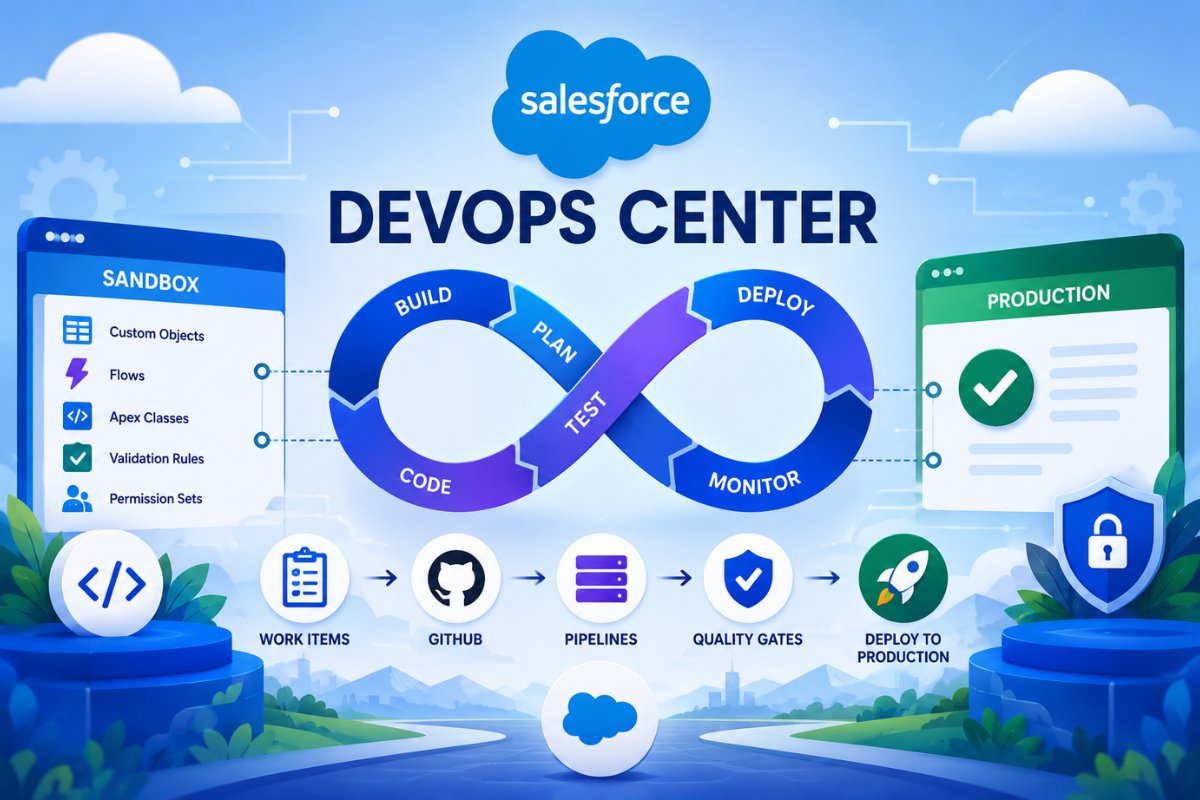
Typically, the process looks like this:
- Create a work item
- Connect a development sandbox
- Make metadata changes
- Pull tracked changes
- Commit changes to GitHub
- Promote through pipeline stages
- Deploy to Production
As a result, every deployment step becomes visible and easier to manage.
Main Components of Salesforce DevOps Center
Work Items
Work items represent deployment tasks or changes.
For example:
- creating a validation rule
- building a Flow
- adding an Apex trigger
- creating a custom object
Each deployment usually starts with a work item. In many ways, it works similarly to a Jira ticket connected to metadata deployment.
Pipelines
Pipelines define the movement of changes from development to Production.
A common pipeline looks like this:
| Stage | Purpose |
|---|---|
| Dev Sandbox | Development |
| Integration | Combined testing |
| UAT | User acceptance testing |
| Staging | Final validation |
| Production | Live deployment |
Because pipelines organize deployments clearly, teams can avoid accidental Production changes.
Source Control
DevOps Center uses GitHub for source control.
This means every metadata change gets stored and tracked properly. Additionally, teams can review previous versions whenever needed.
Compared to Change Sets, this is a major improvement for collaboration and deployment safety.
Source Tracking
One of the most beginner-friendly features is source tracking.
Whenever developers or admins create metadata changes inside sandboxes, DevOps Center automatically detects those updates.
As a result, teams no longer need to manually remember every deployment component.
DevOps Center vs Change Sets
Many beginners want to understand the difference between DevOps Center and Change Sets.
Here is a simple comparison:
| Feature | Change Sets | DevOps Center |
|---|---|---|
| Git integration | No | Yes |
| Source tracking | No | Yes |
| Version control | No | Yes |
| Deployment tracking | Limited | Advanced |
| Modern CI/CD support | No | Yes |
| Team collaboration | Basic | Better |
| Rollback capability | Difficult | Easier |
| Metadata visibility | Manual | Automated |
Salesforce Change Sets Explained for Beginners Our article on explains how traditional sandbox deployments work.
Real Project Example
Imagine a company wants to build a Lead Qualification process.
In this project:
- an admin creates a Flow
- a developer writes Apex logic
- a QA tester validates the feature
Without DevOps Center, deployments may quickly become confusing because multiple components are involved.
However, DevOps Center organizes everything properly:
- work items track changes
- GitHub stores metadata versions
- UAT validates deployments
- release managers control promotions
Consequently, deployments become safer and easier to manage.
How to Set Up Salesforce DevOps Center
Step 1: Enable DevOps Center
Go to:
Setup → DevOps Center
Then enable DevOps Center inside the org.
Step 2: Install the Package
Next, Salesforce installs the DevOps Center package in your org.
In most real-world projects, teams install it in Production for better governance.
Step 3: Create Sandboxes
After setup, create environments like:
- Dev Sandbox
- UAT Sandbox
These sandboxes become deployment stages inside the pipeline.
Salesforce Change SetsOur article also explains how sandbox environments work during deployments.
Step 4: Connect GitHub
Now connect DevOps Center to GitHub.
This step is extremely important because DevOps Center relies on source control for deployment tracking.
Step 5: Create Deployment Pipeline
Finally, create deployment stages such as:
- Dev
- UAT
- Production
Once configured, your deployment pipeline becomes ready for releases.
What Is Source Tracking in DevOps Center?
Source tracking automatically detects metadata changes inside sandboxes.
For example, if a developer creates:
- a Flow
- an Apex class
- a validation rule
DevOps Center identifies those changes automatically.
Because of this, deployments become much easier compared to manually selecting components in Change Sets.
Common Beginner Mistakes
Using Production for Testing
Many beginners accidentally test directly in Production.
However, Production should never be used for development testing. Instead, always use sandboxes.
Ignoring GitHub Basics
Some admins avoid learning Git concepts completely.
Still, understanding basics like:
- repositories
- branches
- commits
becomes extremely important in modern Salesforce development.
Promoting Untested Changes
Sometimes teams deploy directly to Production without proper UAT validation.
As a result, deployment failures and business issues may occur.
Forgetting Permission Changes
Missing permission sets can break deployments unexpectedly.
salesforce permission sets Our for Beginners article explains how permissions affect deployments and user access.
Best Practices for Salesforce DevOps Center
Use Smaller Work Items
Smaller deployments are easier to test and troubleshoot.
Therefore, avoid combining too many changes into one release.
Separate Development and Testing
Development and QA stages should always remain separate.
This improves deployment quality significantly.
Use Proper Naming Conventions
Good naming improves deployment visibility and tracking.
Examples:
- LEAD_FLOW_AUTOMATION
- ACCOUNT_VALIDATION_RULE
- CONTACT_DUPLICATE_CHECK
Train Teams on Git Basics
Even admins should understand Git fundamentals because modern deployments heavily depend on source control systems.
Important Limitations of DevOps Center
Although DevOps Center is powerful, beginners should still understand its limitations.
| Limitation | Details |
|---|---|
| GitHub dependency | Requires source control |
| Learning curve | Git concepts may confuse beginners |
| Initial setup time | Configuration takes longer |
| Enterprise focus | Smaller orgs may still prefer Change Sets |
Therefore, smaller teams sometimes continue using traditional deployment approaches.
DevOps Center and CI/CD
DevOps Center is closely connected to Salesforce CI/CD practices.
CI/CD means:
- Continuous Integration
- Continuous Deployment
In simple words, it helps teams release updates faster and more safely.
As your Salesforce career grows, learning CI/CD concepts becomes extremely valuable for both admin and developer roles.
Is Salesforce DevOps Center Good for Beginners?
Yes, but beginners should first understand foundational deployment concepts.
A recommended learning path looks like this:
- Salesforce Change Sets
- Salesforce CLI
- GitHub basics
- DevOps Center
- CI/CD pipelines
Once these concepts become clear, modern Salesforce deployment processes feel much easier.
- Salesforce CLI Installation and Setup Guide
- VS Code Setup for Salesforce Development
- Salesforce Developer Console Tutorial for Beginners
Final Thoughts
Salesforce DevOps Center is becoming one of the most important deployment tools in the Salesforce ecosystem.
Unlike traditional deployment methods, it combines:
- source tracking
- GitHub integration
- deployment pipelines
- release management
- team collaboration
into one organized platform.
More importantly, it helps teams move away from risky manual deployments and adopt modern release management practices.
For beginners, the biggest lesson is this:
Modern Salesforce deployments are no longer only about moving metadata manually. Instead, they focus heavily on automation, collaboration, source control, and deployment safety.
And that is exactly where DevOps Center becomes valuable.

FAQs
What is Salesforce DevOps Center?
Salesforce DevOps Center is a release management tool that helps teams deploy metadata changes using GitHub, pipelines, and source tracking.
Is Salesforce DevOps Center free?
Yes. Salesforce provides DevOps Center as a free deployment and release management tool for supported Salesforce editions.
Does DevOps Center replace Change Sets?
In many modern Salesforce projects, yes. DevOps Center is designed to provide a more scalable and organized deployment process compared to Change Sets.
Does Salesforce DevOps Center require GitHub?
Yes. DevOps Center uses GitHub for source control and metadata tracking.
What is source tracking in Salesforce DevOps Center?
Source tracking automatically identifies metadata changes made inside sandboxes so teams can deploy changes more efficiently.


