


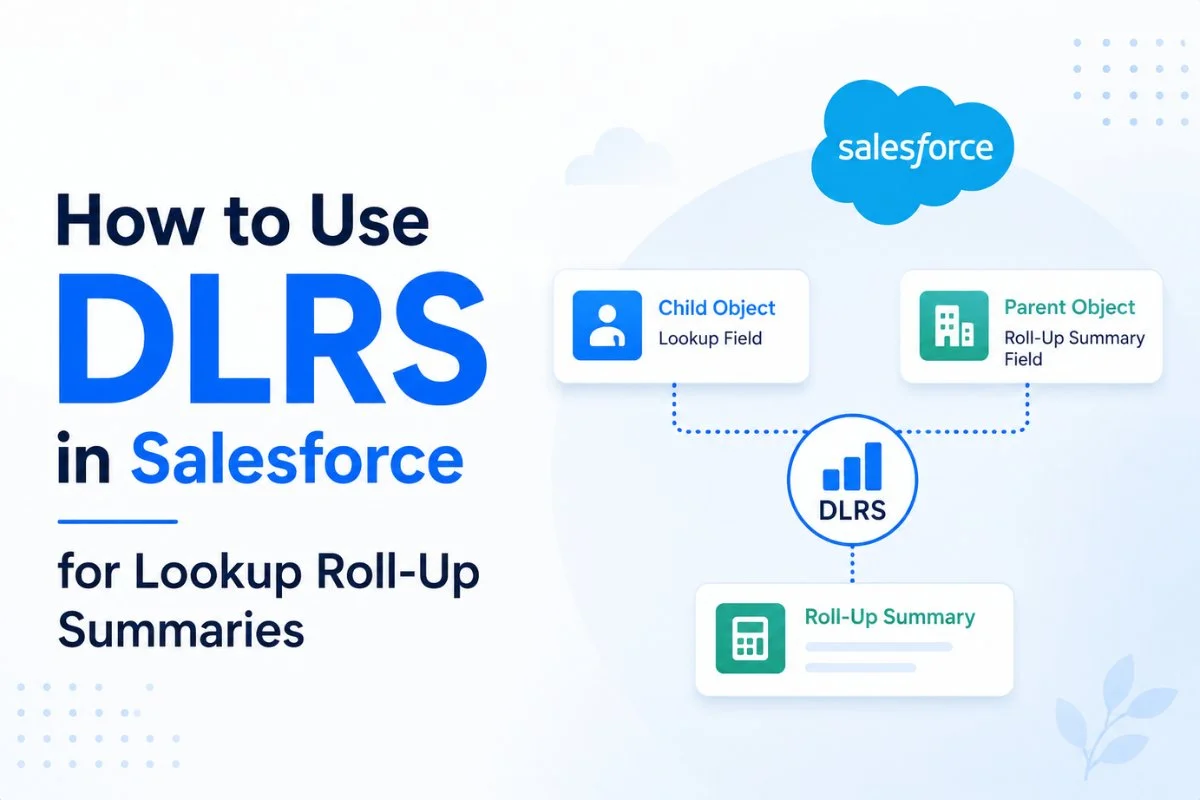
DLRS in Salesforce is one of the most popular tools used by Salesforce Admins when standard Roll-Up Summary fields are not enough. Salesforce allows roll-up summaries only on Master-Detail relationships, but many real-world business scenarios use Lookup relationships. That is where DLRS becomes extremely useful.
With Declarative Lookup Rollup Summaries (DLRS), admins can create roll-up calculations between lookup-related objects without writing Apex triggers. Instead of relying on developers, admins can configure totals, counts, averages, minimum values, and maximum values using a declarative interface.
In this guide, you will learn what DLRS is, why it is used, how to install it, how to create lookup roll-up summaries, and the best practices to follow.
What Is DLRS in Salesforce?
DLRS stands for Declarative Lookup Rollup Summaries.
It is a free open-source Salesforce tool that allows administrators to create roll-up summary calculations for lookup relationships.
Normally, Salesforce Roll-Up Summary fields work only when two objects are connected through a Master-Detail relationship. However, many organizations use Lookup relationships because they provide greater flexibility.
As a result, admins often need a way to calculate values from child records and display them on parent records without writing Apex code.
DLRS solves this problem.
For example:
| Parent Object | Child Object | Requirement |
|---|---|---|
| Account | Opportunity | Total Opportunity Amount |
| Account | Case | Count Open Cases |
| Contact | Opportunity | Count Closed Won Opportunities |
| Project | Task | Total Task Hours |
Without DLRS, these requirements typically need Apex triggers. With DLRS, they can be configured through clicks instead of code.
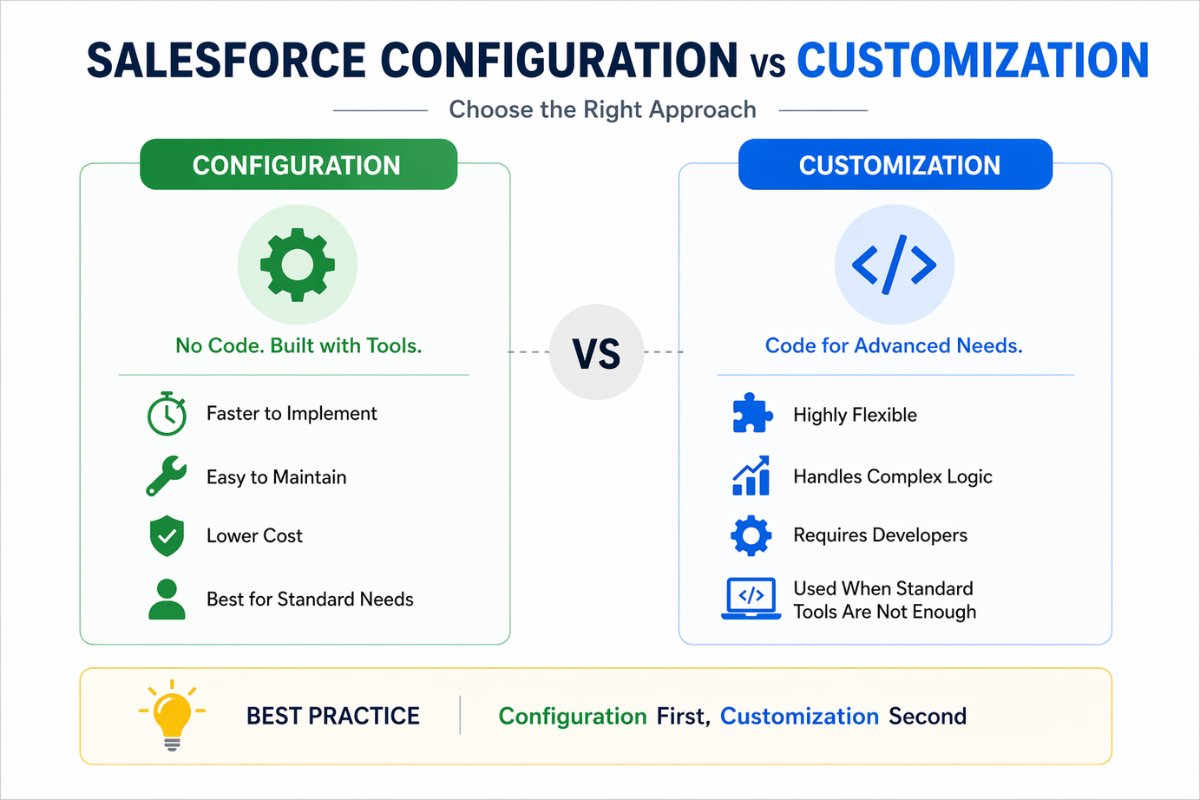
Many admins who work with Salesforce Configuration vs Customization: Key Differences and When to Use Each prefer DLRS because it provides a low-code solution for a common business requirement.
Why Standard Roll-Up Summary Fields Are Not Enough
Salesforce Roll-Up Summary fields work only with Master-Detail relationships.
For example:
- Account → Opportunity (Lookup)
- Account → Custom Child Object (Lookup)
- Project → Task (Lookup)
In all these cases, standard roll-up summaries cannot be created.
As organizations grow, Lookup relationships become common because they offer more flexibility than Master-Detail relationships.
Consequently, admins often need another solution.
This is where DLRS becomes the preferred choice.
Common Business Problems Solved by DLRS
DLRS is used in many real-world Salesforce implementations.
Count Related Records
A company may want to count all open Cases related to an Account.
Example:
Account: ABC Technologies
Open Cases: 15
DLRS can automatically maintain this value.
Sum Child Record Values
A sales manager may want to see the total value of all Opportunities linked to an Account.
Example:
Opportunity 1 = $10,000
Opportunity 2 = $25,000
Opportunity 3 = $15,000
Total Amount = $50,000
DLRS can calculate this automatically.
Calculate Average Values
An organization may want to calculate the average customer satisfaction score from related survey records.
Find Minimum or Maximum Values
For instance, a project manager may need to identify the latest task completion date from related tasks.
DLRS can handle these calculations without custom development.
How DLRS Works
DLRS works by creating roll-up definitions.
A roll-up definition specifies:
- Parent Object
- Child Object
- Relationship Field
- Aggregation Type
- Target Field
- Calculation Mode
Once configured, DLRS automatically updates parent records based on child record changes.
In many organizations, DLRS is used alongside Salesforce Flow Tutorial for Beginners: Complete Step-by-Step to reduce unnecessary automation complexity.
Installing DLRS in Salesforce
DLRS can be installed from AppExchange.
Installation Steps
- Open AppExchange.
- Search for Declarative Lookup Rollup Summaries.
- Click Get It Now.
- Choose Production or Sandbox.
- Complete package installation.
- Assign required permissions.
After installation, you will see:
- Manage Lookup Rollup Summaries
- Lookup Rollup Summary Logs
- Lookup Rollup Summary Schedule Items
- Lookup Rollup Summary Tools
These tabs are used to create and manage roll-ups.

Understanding DLRS Calculation Modes
One of the most important concepts in DLRS is Calculation Mode.
Realtime
The parent record updates immediately when a child record changes.
Best for:
- Small to medium data volumes
- Instant updates
Scheduled
Updates happen through scheduled jobs.
Best for:
- Large datasets
- High transaction environments
Developer API
Roll-ups are triggered programmatically.
Best for:
- Advanced implementations
Calculate Button
Admins manually trigger recalculation.
Best for:
- Initial testing
- Data correction
For most organizations, Realtime mode works perfectly.
Step-by-Step Example: Total Opportunity Amount on Account
Let’s create a practical DLRS example.
Business Requirement
Display the total value of all Opportunities on the Account record.
Step 1: Create Target Field
On Account create:
Field Label: Total Opportunity Amount
Field Type: Currency
Step 2: Create New Rollup
Open:
Manage Lookup Rollup Summaries
Click:
New
Step 3: Configure Parent Object
Parent Object:
Account
Step 4: Configure Child Object
Child Object:
Opportunity
Step 5: Select Relationship Field
Relationship Field:
AccountId
Step 6: Choose Aggregate Operation
Operation:
SUM
Field to Aggregate:
Amount
Step 7: Select Target Field
Target Field:
Total Opportunity Amount
Step 8: Choose Calculation Mode
Calculation Mode:
Realtime
Step 9: Save and Deploy
Save the roll-up definition.
Deploy the generated trigger.
Now every Opportunity update automatically updates the Account total.

Understanding Aggregate Operations
DLRS supports multiple aggregation types.
| Operation | Purpose |
|---|---|
| SUM | Total values |
| COUNT | Count records |
| AVG | Average values |
| MIN | Lowest value |
| MAX | Highest value |
| CONCATENATE | Combine text values |
For example:
SUM = Total Opportunity Revenue
COUNT = Number of Open Cases
MAX = Latest Renewal Date
AVG = Average Survey Score
Using Filters in DLRS
One powerful feature of DLRS is filtering.
Suppose a company wants to count only Closed Won Opportunities.
Filter Example:
StageName = Closed WonDLRS then ignores all other opportunities.
Similarly, organizations often combine filtered roll-ups with Salesforce Validation Rules with Real Examples for Beginners to improve overall data quality.
DLRS vs Standard Roll-Up Summary Fields
| Feature | Standard Roll-Up | DLRS |
|---|---|---|
| Master-Detail Support | Yes | Yes |
| Lookup Support | No | Yes |
| No Code Setup | Yes | Yes |
| Filters | Limited | Advanced |
| Realtime Updates | Yes | Yes |
| Scheduled Processing | No | Yes |
| Open Source | No | Yes |
For lookup relationships, DLRS is usually the better option.
DLRS vs Apex Triggers
Many organizations ask if they should use DLRS or Apex.
Use DLRS When
- Requirement is straightforward
- Admin team manages automation
- No complex business logic exists
Use Apex When
- Logic is highly customized
- Advanced calculations are required
- Multiple dependent operations exist
If your team already maintains large Apex frameworks, custom development may be appropriate. However, most admin-focused requirements can be solved using DLRS.
Admins working with How Salesforce Developers Use Workbench in Real Projects often use DLRS because it eliminates the need to troubleshoot custom trigger code.
Best Practices for DLRS
Use Clear Naming Conventions
Bad Example:
Rollup1
Good Example:
Account Total Closed Won Revenue
Test in Sandbox First
Never deploy directly into production.
Instead, validate roll-up calculations in a sandbox environment.
Avoid Unnecessary Realtime Rollups
Although realtime mode is convenient, scheduled calculations may perform better for large datasets.
Monitor Logs
DLRS provides logs for troubleshooting.
Review them regularly after deployment.
Keep Documentation Updated
Document:
- Parent object
- Child object
- Aggregation type
- Filters used
- Business purpose
Proper documentation becomes increasingly important as organizations scale.
Common DLRS Errors
Roll-Up Not Updating
Possible causes:
- Trigger not deployed
- Relationship field incorrect
- Calculation mode issue
Field Not Available
Possible causes:
- Incorrect data type
- Unsupported field selection
Deployment Failure
Possible causes:
- Existing Apex conflicts
- Missing permissions
In some cases, Salesforce admins use Salesforce Inspector Reloaded Guide: Features, Use Cases, and Real Examples to quickly verify field metadata and troubleshoot configuration issues.
When Should You Use DLRS?
DLRS is ideal when:
- Lookup relationships exist
- Roll-up summaries are required
- Admins want a low-code solution
- Apex development should be avoided
It may not be necessary when:
- Standard Roll-Up Summary fields already solve the requirement
- Complex calculations require custom logic
For many organizations, DLRS provides the perfect balance between flexibility and simplicity.
Final Thoughts
DLRS in Salesforce remains one of the most valuable tools available to administrators. Standard Roll-Up Summary fields work well for Master-Detail relationships, yet many business processes rely on Lookup relationships where native Salesforce functionality falls short.
Fortunately, DLRS bridges that gap. It allows admins to create counts, sums, averages, minimum values, and maximum values without writing Apex triggers. In addition, features such as filtering, scheduled processing, and realtime updates make it suitable for both small and large Salesforce environments.
If your organization frequently works with lookup relationships, learning DLRS can save development effort, reduce technical debt, and simplify ongoing maintenance.
FAQ
What is DLRS in Salesforce?
DLRS stands for Declarative Lookup Rollup Summaries. It allows Salesforce admins to create roll-up calculations for lookup relationships without writing Apex code.
Is DLRS free?
Yes. DLRS is an open-source Salesforce tool available through AppExchange.
Can DLRS work with standard objects?
Yes. DLRS supports both standard and custom objects.
Does DLRS require coding?
No. Most DLRS configurations can be created using a declarative interface.
Can DLRS replace Apex triggers?
For many roll-up summary requirements, yes. However, highly complex business logic may still require Apex.
What calculation types does DLRS support?
DLRS supports SUM, COUNT, AVG, MIN, MAX, and CONCATENATE operations.
Related Articles
- Salesforce Flow Tutorial for Beginners: Complete Step-by-Step
- Salesforce Validation Rules with Real Examples for Beginners
- Salesforce Data Loader Tutorial for Beginners
- salesforce configuration vs customization
- Salesforce Inspector Reloaded Guide: Features, Use Cases, and Real Examples
- Salesforce Data Loader Tutorial for Beginners