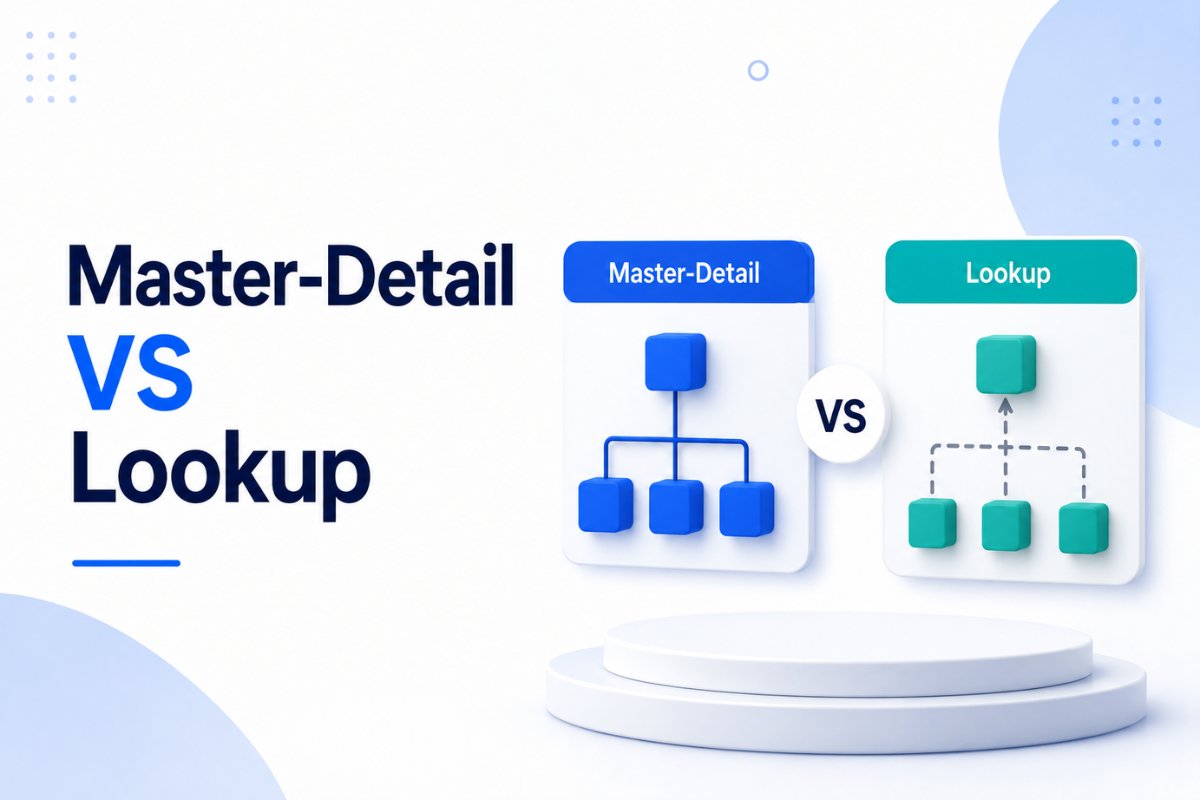
When designing a Salesforce data model, one of the first decisions you’ll make is how objects should relate to each other. Salesforce provides multiple relationship types, but in most real-world projects, you’ll use either a Master-Detail Relationship or a Lookup Relationship.
At first glance, both relationships seem similar because they connect two objects. However, they behave very differently when it comes to ownership, security, reporting, automation, record deletion, and data integrity.
Choosing the wrong relationship at the beginning can create reporting issues, sharing problems, and unnecessary development work later. That’s why understanding the difference is essential for every Salesforce Admin and Developer.
In this guide, you’ll learn how both relationship types work, when to use each one, common mistakes to avoid, and practical examples that make the concepts easy to understand.
What Is a Relationship in Salesforce?
Salesforce stores information inside objects, and each object contains records.
For example:
- Account stores company information.
- Contact stores customer details.
- Opportunity stores sales deals.
- Case stores support requests.
These records often need to be connected.
For example:
- An Account can have many Contacts.
- An Account can have multiple Opportunities.
- An Opportunity can contain several Products.
- A Project can include many Tasks.
Instead of storing duplicate information, Salesforce uses relationships to connect records while maintaining data consistency.
If you’re new to Salesforce data modeling, understanding object relationships is just as important as creating custom objects and fields.
Why Choosing the Right Relationship Matters
Many beginners simply select whichever relationship type seems to work without considering future business requirements.
That decision affects much more than record linking.
The relationship determines:
- Whether child records can exist independently.
- How sharing and security work.
- Whether Roll-Up Summary fields are available.
- What happens when a parent record is deleted.
- Who owns the child record.
- How reports behave.
- How Flows and Apex automation should be designed.
Changing the relationship later is often difficult, especially once production data exists. Spending a few extra minutes designing the right relationship can save hours of future maintenance.
Understanding Master-Detail Relationship
A Master-Detail Relationship creates a strong parent-child relationship between two objects.
The child record (Detail) completely depends on its parent (Master).
Without the parent, the child record cannot exist.
For example:
Imagine an Invoice object and an Invoice Line Item object.
Every Invoice Line Item belongs to exactly one Invoice.
If the Invoice is deleted, all Invoice Line Items should disappear automatically because they have no purpose without the Invoice.
This is the perfect scenario for a Master-Detail Relationship.
Key Characteristics
- Parent record is mandatory.
- Child record inherits ownership.
- Sharing settings come from the parent.
- Supports Roll-Up Summary Fields.
- Parent deletion automatically deletes child records.
- Child records cannot exist independently.
Real Business Example
Suppose your company manages employee expense reports.
Objects:
- Expense Report
- Expense Item
Each expense report contains multiple expense items.
Expense Items should never exist without an Expense Report.
Deleting an Expense Report should also remove all related Expense Items.
Since the child records are completely dependent on the parent, a Master-Detail Relationship is the best choice.

Understanding Lookup Relationship
A Lookup Relationship creates a flexible connection between two objects.
Unlike Master-Detail, the child record can exist even if no parent record is selected.
The parent record is optional unless administrators make the lookup field required.
This relationship works well when records are connected but remain independent.
Example
Suppose your organization tracks business partners.
Objects:
- Account
- Partner Contact
A partner contact may belong to an Account.
However, sometimes the contact information is available before assigning it to an Account.
The contact should still be saved.
In this case, a Lookup Relationship provides the flexibility you need.
Key Characteristics
- Parent record is optional.
- Child record has independent ownership.
- Sharing settings remain separate.
- No native Roll-Up Summary Fields.
- Parent deletion usually does not remove child records.
- Records remain loosely connected.
Unlike Master-Detail, Lookup Relationships are ideal when both objects have their own lifecycle.
Real Business Example
Imagine a consulting company managing projects.
Objects:
- Consultant
- Certification
A certification may belong to a consultant today, but the consultant might leave the company later.
The certification record should still remain available for historical purposes.
Deleting the consultant should not remove certification records.
A Lookup Relationship is the correct design because both records are independent.
When Lookup Is the Better Choice
Choose a Lookup Relationship if:
- Records can exist independently.
- Parent records may change frequently.
- Separate ownership is required.
- Independent sharing rules are needed.
- Parent deletion should not remove child records.
Many Salesforce standard objects also use Lookup Relationships because they provide greater flexibility.
For example, Assets, Campaigns, Cases, and many custom business objects commonly rely on Lookup Relationships.
If you’re planning your Salesforce data model, understanding relationships is only one step. Once records are connected, you’ll often build automation using Salesforce Flow Loops: Collections, Iteration, and Best Practices to update related records efficiently instead of processing them one by one.

Master-Detail vs Lookup Relationship: Key Differences
Although both relationship types connect records, they serve different business needs. The table below highlights the most important differences.
| Feature | Master-Detail Relationship | Lookup Relationship |
|---|---|---|
| Parent Record | Required | Optional (unless configured as required) |
| Child Record | Cannot exist without parent | Can exist independently |
| Record Ownership | Inherited from parent | Independent ownership |
| Sharing & Security | Inherited from parent | Managed separately |
| Roll-Up Summary Fields | Supported | Not supported natively |
| Cascade Delete | Yes | No (configurable behavior) |
| Reparenting | Supported if enabled | Supported |
| Reporting | Tightly linked reporting | Flexible reporting |
| Best For | Dependent business data | Independent business records |
This comparison explains the technical differences, but choosing the right relationship depends on how your business data behaves.
How Security and Sharing Behave
Security is one of the biggest deciding factors when choosing between these relationships.
With a Master-Detail Relationship, child records automatically inherit the sharing settings and ownership of the parent record.
Example:
Suppose only Sales Managers can access an Opportunity.
If Opportunity Products are connected through a Master-Detail Relationship, users who cannot access the Opportunity also cannot access its products.
No additional sharing configuration is required.
With a Lookup Relationship, every object manages its own ownership and sharing.
Example:
A Project record and a Vendor record are connected using Lookup.
Even if a user has access to the Project, they may still be restricted from viewing the Vendor unless they also have access to that object.
This flexibility is useful when different departments own different records.
Record Ownership Explained
Ownership affects reporting, automation, queues, sharing rules, and manual sharing.
Master-Detail
The child record has no independent owner.
Ownership always comes from the parent.
Example:
Invoice
→ Invoice Line Items
Changing the Invoice owner automatically changes ownership of every Invoice Line Item.
Lookup
Each record has its own owner.
Example:
Account
→ Partner Contact
Changing the Account owner does not affect the Partner Contact owner.
If your business requires separate ownership, Lookup is usually the better option.
Roll-Up Summary Fields
One of the biggest advantages of Master-Detail Relationships is Roll-Up Summary Fields.
They allow Salesforce to calculate values automatically.
Supported calculations include:
- COUNT
- SUM
- MIN
- MAX
Example:
Opportunity
↓
Opportunity Products
You can automatically calculate:
- Total Products
- Total Quantity
- Total Revenue
without writing Apex or creating a Flow.
If you’re interested in automation, you’ll notice that Roll-Up Summary Fields often eliminate the need for extra Flow logic.
What About Lookup?
Lookup Relationships don’t support Roll-Up Summary Fields natively.
If you need totals, counts, or calculations, you’ll usually use:
- Record-Triggered Flow
- Apex Trigger
- AppExchange Roll-Up tools
Choosing Lookup simply because it feels flexible can sometimes create unnecessary automation work later.
What Happens When a Parent Record Is Deleted?
This is another major difference.
Master-Detail
Deleting the parent automatically deletes every related child record.
Example:
Delete Invoice
↓
Invoice Line Items are deleted automatically.
This behavior is called Cascade Delete.
It’s useful when child records have no value without the parent.
Lookup
Deleting the parent usually leaves child records untouched.
The lookup field simply becomes empty (or Salesforce can restrict deletion depending on configuration).
Example:
Delete Account
↓
Partner Contacts still exist.
Only the relationship is removed.
For historical records, Lookup is generally the safer option.
Reporting Considerations
Relationships also affect reports.
With Master-Detail:
- Cleaner parent-child reports
- Roll-Up Summary support
- Better aggregation
- Stronger hierarchy
With Lookup:
- More flexible report design
- Independent reporting
- Better for loosely connected objects
Neither relationship is universally better.
The right choice depends entirely on the reporting requirements.
Flow and Apex Considerations
Relationship design also impacts automation.
Master-Detail often simplifies automation because:
- Parent ownership is inherited.
- Roll-Up Summary Fields reduce Flow complexity.
- Security is easier to manage.
Lookup usually requires additional logic.
For example:
- Update related records.
- Calculate totals.
- Validate relationships.
- Handle orphan records.
When building automation, you might also use Salesforce Flow Loops to process related collections efficiently instead of updating records one by one.
Similarly, developers often use Apex Trigger Tutorial for Beginners in Salesforce when Lookup Relationships require custom business logic that cannot be handled declaratively.
Can You Convert Lookup to Master-Detail?
Yes, but only if Salesforce validation requirements are satisfied.
Typically:
- Every child record must already have a parent.
- Existing data must meet relationship requirements.
- Security restrictions must allow conversion.
Converting the relationship after production deployment can become difficult if thousands of records already exist.
This is another reason why relationship design should be planned carefully during implementation.
Common Mistakes
Many Salesforce beginners make these mistakes:
Using Master-Detail everywhere
A strong relationship isn’t always the best choice. If records need independent ownership, Lookup is usually more appropriate.
Ignoring future reporting requirements
Choosing Lookup today may require custom automation later for simple calculations.
Not considering security
Sharing behavior changes significantly depending on relationship type.
Thinking Roll-Up Summary works with Lookup
Native Roll-Up Summary Fields only work with Master-Detail Relationships.
Changing relationships after production
Relationship changes become much harder once users start creating business data.
When Should You Choose Each Relationship?
Choose Master-Detail when:
- Child records should never exist independently.
- Roll-Up Summary Fields are required.
- Parent controls ownership.
- Parent controls sharing.
- Cascade delete is acceptable.
Choose Lookup when:
- Objects should remain independent.
- Separate ownership is required.
- Flexible reporting is preferred.
- Parent records may change.
- Historical records should remain after deletion.
Frequently Asked Questions
Can a child record exist without a parent in a Master-Detail Relationship?
No. Every child record must be linked to a parent before it can be saved.
Does Lookup support Roll-Up Summary Fields?
No. You’ll need Flow, Apex, or third-party tools to perform roll-up calculations.
Which relationship is better for reporting?
It depends on your business requirements. Master-Detail works well for tightly connected data, while Lookup offers greater flexibility.
Can I convert a Lookup Relationship into Master-Detail later?
Yes, but only if all existing records satisfy Salesforce’s conversion requirements.
How many Master-Detail Relationships can an object have?
A custom object can have up to two Master-Detail Relationships.

Related Articles
You may also find these guides helpful: