





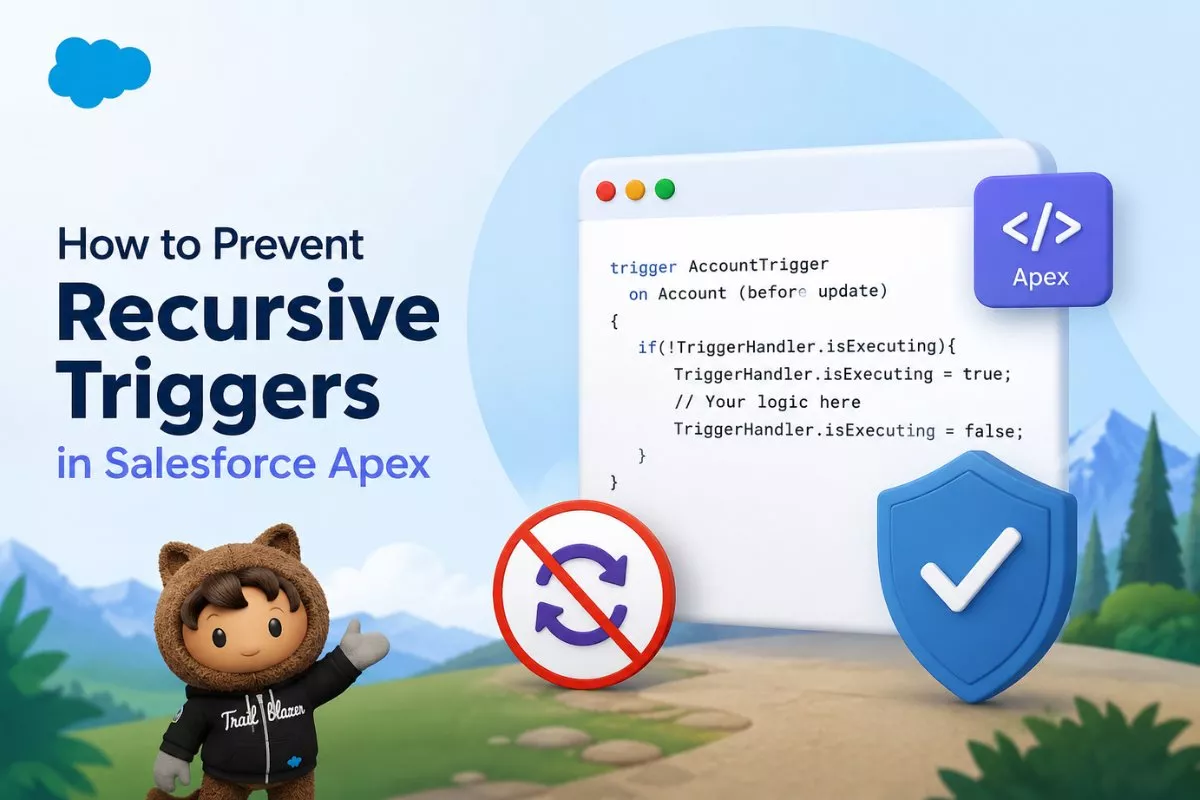
Writing an Apex trigger is straightforward, but writing one that avoids recursion is much more challenging. Recursive triggers are one of the most common issues Salesforce developers face because they can cause infinite loops, governor limit exceptions, and unexpected data updates.
Understanding how to prevent recursive triggers in Salesforce Apex is essential for every developer. Whether you’re updating records in an after trigger, calling helper classes, or combining Apex with Flow automation, recursion can quickly become a serious problem if it isn’t handled correctly.
In this guide, you’ll learn what recursive triggers are, why they happen, different techniques to prevent them, and which approaches Salesforce developers recommend today.
What Is a Recursive Trigger in Salesforce?
A recursive trigger occurs when a trigger performs a DML operation that causes the same trigger to execute again during the same transaction.
For example:
- An Account trigger fires.
- The trigger updates the same Account.
- The update fires the trigger again.
- The process repeats continuously until Salesforce stops it.
Eventually, Salesforce throws an error such as:
Maximum trigger depth exceeded
Besides causing exceptions, recursive triggers also waste governor limits by executing unnecessary SOQL queries and DML operations.
If you’re new to trigger development, read Apex Trigger Tutorial for Beginners in Salesforce before implementing recursion prevention techniques.
Why Do Recursive Triggers Happen?
Most recursion problems occur because developers unintentionally update records inside triggers.
Consider this example:
trigger AccountTrigger on Account (after update){

    List<Account> accountsToUpdate = new List<Account>();

    for(Account acc : Trigger.new){

        acc.Description = 'Updated';

        accountsToUpdate.add(acc);

    }

    update accountsToUpdate;

}
What happens?
- Trigger executes.
- Records get updated.
- Update statement fires the trigger again.
- Same code executes repeatedly.
- Salesforce eventually stops the transaction.
Although this example is simple, recursion often becomes harder to identify when helper classes, Flow automation, Process Builder, or managed packages are involved.
Common Causes of Trigger Recursion
Recursive triggers are usually introduced by one of these scenarios:
- Updating the same object inside an after trigger
- Multiple triggers on the same object
- Apex calling Flow
- Flow updating the same record
- Process Builder performing updates
- Cross-object automation
- Trigger handler methods updating parent records
- Queueable or Future methods updating the original object
Because modern Salesforce orgs often contain multiple automation tools, recursion may happen even when your Apex code looks correct.
How Salesforce Handles Trigger Execution
Every DML operation starts a new trigger execution.
For example:
Insert Account

↓

Before Insert Trigger

↓

After Insert Trigger

↓

Update Account

↓

Before Update Trigger

↓

After Update Trigger
If one update causes another update, Salesforce keeps repeating the process until one of these happens:
- Maximum Trigger Depth is reached
- Governor limits are exceeded
- Transaction fails
Therefore, recursion prevention should be part of every Apex trigger design.

Method 1: Use Trigger.oldMap (Recommended)
This is usually the safest and simplest solution.
Instead of updating records every time the trigger runs, compare the previous value with the new value.
Example:
trigger OpportunityTrigger on Opportunity(before update){

    for(Opportunity opp : Trigger.new){

        Opportunity oldOpp = Trigger.oldMap.get(opp.Id);

        if(opp.StageName != oldOpp.StageName){

            System.debug('Stage Changed');

        }

    }

}
Since the logic executes only when the field actually changes, unnecessary updates are avoided.
This approach is lightweight, easy to understand, and doesn’t require static variables.
In many projects, Trigger.oldMap alone prevents recursion completely.
Why Trigger.oldMap Is Better
Developers sometimes jump directly to static variables.
However, checking whether data has actually changed is usually a better solution because:
- No additional memory is required.
- Logic remains easy to understand.
- Bulk operations continue to work correctly.
- False recursion detection is avoided.
Whenever possible, compare old and new values before performing DML.
Method 2: Static Boolean Pattern
For many years, developers used a static Boolean variable.
Example helper class:
public class TriggerHelper{

    public static Boolean firstRun = true;

}
Trigger:
trigger ContactTrigger on Contact(after update){

    if(!TriggerHelper.firstRun){

        return;

    }

    TriggerHelper.firstRun = false;

    // Business Logic

}
Although this approach appears simple, Salesforce architects no longer recommend it for bulk processing.
Why?
Imagine updating 400 records.
Salesforce processes records in batches of 200.
The first batch sets the Boolean to false.
The second batch skips execution completely, leaving records unprocessed. This limitation is one reason the static Boolean approach is now considered an anti-pattern for recursion handling.
For modern Salesforce applications, better alternatives are available.
Limitations of Static Boolean
Static Boolean works only for very simple scenarios.
Problems include:
- Doesn’t support bulk processing properly.
- Can skip valid records.
- Doesn’t distinguish between trigger events.
- Difficult to maintain in enterprise projects.
Because of these issues, experienced developers rarely use this approach anymore.
Method 3: Use a Static Set (Recommended)
Instead of using a Boolean variable, most Salesforce developers now prefer using a static Set that stores processed record IDs.
Unlike a Boolean, a Set allows every record to be checked individually, making it much more reliable for bulk operations.
First, create a helper class:
public class TriggerHelper{

    public static Set<Id> processedRecords = new Set<Id>();

}
Now update the trigger:
trigger ContactTrigger on Contact(after update){

    List<Contact> contactsToUpdate = new List<Contact>();

    for(Contact con : Trigger.new){

        if(!TriggerHelper.processedRecords.contains(con.Id)){

            TriggerHelper.processedRecords.add(con.Id);

            con.Description = 'Processed';

            contactsToUpdate.add(con);

        }

    }

    if(!contactsToUpdate.isEmpty()){

        update contactsToUpdate;

    }

}
Here, every Contact ID is stored after it has been processed.
If Salesforce fires the trigger again during the same transaction, the trigger ignores records that already exist in the Set.
Compared to the static Boolean approach, this technique works much better for bulk processing and is widely recommended by experienced Salesforce developers.
Why Static Set Is Better
A static Set solves several problems that a Boolean cannot.
Benefits include:
- Supports bulk processing
- Tracks each record separately
- Prevents duplicate execution
- Easy to implement
- Suitable for most trigger frameworks
However, even a static Set has limitations.
For example, if the same record is intentionally updated later in the same transaction, the Set may prevent valid business logic from running.
Because of that, Salesforce architects often combine Static Sets with field comparisons and trigger frameworks.
Method 4: Use a Static Map
Large Salesforce projects often have multiple trigger events.
For example:
- Before Insert
- Before Update
- After Insert
- After Update
Using only one Set makes it difficult to separate these events.
Instead, developers can use a Static Map.
Example helper class:
public class TriggerHelper{

    public static Map<String,Set<Id>> processedMap =
        new Map<String,Set<Id>>();

}
Inside the trigger:
if(!TriggerHelper.processedMap.containsKey('AfterUpdate')){

    TriggerHelper.processedMap.put(
        'AfterUpdate',
        new Set<Id>()
    );

}

Set<Id> processedIds =
TriggerHelper.processedMap.get('AfterUpdate');
Now each trigger event maintains its own collection of processed records.
This approach works well in enterprise applications where one object supports several trigger events.
Method 5: Use a Trigger Handler Pattern
One of the best long-term solutions is using a Trigger Handler framework.
Instead of placing business logic directly inside the trigger, move everything into dedicated Apex classes.
Simple example:
Trigger:
trigger AccountTrigger on Account(

    before insert,
    before update,
    after update

){

    AccountTriggerHandler.run();

}
Handler Class:
public class AccountTriggerHandler{

    public static void run(){

        if(Trigger.isBefore && Trigger.isUpdate){

            handleBeforeUpdate();

        }

        if(Trigger.isAfter && Trigger.isUpdate){

            handleAfterUpdate();

        }

    }

    private static void handleBeforeUpdate(){

    }

    private static void handleAfterUpdate(){

    }

}
This architecture makes recursion prevention much easier because every trigger event is managed in one place.
If you’re already using Apex Switch Statements vs If-Else: When and How to Use Each, the handler class becomes even cleaner by switching on Trigger.operationType.

Trigger Frameworks Reduce Recursion
Large Salesforce projects almost always follow these principles:
- One trigger per object
- Handler classes
- Service classes
- Utility classes
- Bulkified logic
- Recursion protection
- Minimal trigger code
Instead of placing hundreds of lines inside a trigger, each responsibility stays inside its own class.
This also makes debugging much easier.
Developers learning enterprise Apex should also read Apex Switch Statements vs If-Else: When and How to Use Each because clean control flow improves trigger readability.
Common Mistakes That Cause Recursive Triggers
Updating Records Inside After Update
This is the most common mistake.
Bad example:
update Trigger.new;
The update immediately fires the trigger again.
Ignoring Trigger.oldMap
Many developers update records without checking whether values actually changed.
Always compare old and new values whenever possible.
Using Multiple Triggers
Having several triggers on one object makes execution difficult to predict.
Salesforce recommends using one trigger per object.
Mixing Apex and Flow Without Planning
Today’s Salesforce orgs usually contain:
- Apex
- Record-Triggered Flow
- Validation Rules
- Managed Packages
Without proper planning, one automation can easily trigger another and create recursive loops.
Best Practices for Preventing Recursive Triggers
Follow these recommendations whenever writing Apex triggers:
- Compare values using Trigger.oldMap before performing DML.
- Prefer Static Set over Static Boolean.
- Use Trigger Handler frameworks.
- Bulkify every trigger.
- Keep triggers logic-less.
- Avoid updating the same object unnecessarily.
- Test bulk operations using hundreds of records.
- Review Flow automation together with Apex.
Following these practices produces scalable Apex code that remains maintainable as the org grows.
Advanced Scenario: Apex Trigger and Flow Causing Recursion
Modern Salesforce orgs rarely rely only on Apex. Most organizations also use Record-Triggered Flows, Validation Rules, Process Builder (legacy), and managed packages.
Imagine this sequence:
- An Account record is updated.
- The Apex trigger updates a related Contact.
- A Flow on Contact updates the Account.
- The Account trigger runs again.
Although your trigger code looks correct, the combination of Apex and Flow creates a recursive loop.
To avoid this:
- Check field values before updating records.
- Avoid unnecessary DML operations.
- Coordinate Flow and Apex logic.
- Use a Trigger Handler framework.
- Document your automation design.
Testing Recursive Trigger Prevention
Writing recursion prevention code isn’t enough. You should also verify that it works under different scenarios.
A good test class should cover:
- Single record updates
- Bulk updates (200+ records)
- Multiple trigger executions
- Trigger.oldMap conditions
- Static Set behavior
- Cross-object updates
Example:
@isTest
private class AccountTriggerTest{

    @isTest

    static void testBulkUpdate(){

        List<Account> accounts = new List<Account>();

        for(Integer i = 0; i < 300; i++){

            accounts.add(
                new Account(
                    Name='Account ' + i
                )
            );

        }

        insert accounts;

        for(Account acc : accounts){

            acc.Phone = '1234567890';

        }

        Test.startTest();

        update accounts;

        Test.stopTest();

    }

}
Bulk testing helps ensure that recursion prevention techniques continue working even when Salesforce processes records in multiple batches.
Developers should also review How to Call Apex Imperatively in Salesforce LWC to improve code coverage and validate trigger behavior effectively.
Static Boolean vs Static Set vs Trigger.oldMap
Choosing the right approach depends on your business requirement.
| Method | Recommended | Bulk Safe | Enterprise Ready |
|---|---|---|---|
| Static Boolean | No | No | No |
| Trigger.oldMap | Yes | Yes | Yes |
| Static Set | Yes | Yes | Yes |
| Static Map | Yes | Yes | Yes |
| Trigger Handler Framework | Highly Recommended | Yes | Yes |
In most Salesforce projects, developers combine Trigger.oldMap, a Static Set, and a Trigger Handler Pattern to achieve the best balance between readability and recursion protection.
Frequently Asked Questions
What is a recursive trigger in Salesforce?
A recursive trigger is a trigger that repeatedly executes because it performs DML operations that fire the same trigger again during the same transaction.
Why are recursive triggers dangerous?
Recursive triggers can cause:
- Infinite execution loops
- Governor limit exceptions
- Maximum trigger depth exceeded errors
- Performance issues
- Duplicate processing
Is a static Boolean still recommended?
No. A static Boolean may skip records during bulk operations because it only allows the first trigger execution within a transaction. Salesforce developers generally prefer Trigger.oldMap, Static Sets, or Trigger Handler frameworks instead.
What is the best way to prevent recursive triggers?
For most projects:
- Compare values using Trigger.oldMap.
- Use a Static Set for processed record IDs.
- Implement a Trigger Handler framework.
- Avoid unnecessary DML statements.
Can Salesforce Flow also cause recursion?
Yes.
Flows, Apex triggers, Process Builder, Workflow Rules, and managed packages can trigger each other if updates are not carefully controlled.
Should I update records inside an after update trigger?
Only when necessary.
If possible, perform field modifications in a before trigger or compare values before issuing DML operations.
Final Thoughts
Learning how to prevent recursive triggers in Salesforce Apex is one of the most valuable skills for any Salesforce developer. Recursive triggers may appear harmless during initial development, but they often become a major source of governor limit errors, duplicate processing, and difficult-to-debug automation issues in production environments.
Rather than relying on outdated techniques such as static Boolean variables, modern Salesforce development focuses on smarter approaches like Trigger.oldMap, Static Set, Static Map, and well-structured Trigger Handler frameworks. These patterns improve code readability, support bulk processing, and make your automation more reliable as your Salesforce org grows.
Whenever you build a new trigger, remember one simple principle: perform DML operations only when they are truly necessary. Combined with proper testing and clean architecture, this approach will help you write scalable Apex code that remains easy to maintain for years.


