


One of the first confusing moments for many Salesforce beginners happens when they notice this:
A sales manager can suddenly see Opportunities owned by their team members — even though those records are private.
New admins often ask:
“Why can the manager see these records if OWD is Private?”
The answer is usually:
Role Hierarchy.
This is one of the most important concepts in Salesforce security because it controls how records become visible across teams and management levels.
In real companies, managers usually need visibility into the work done by their teams. A Sales Director should be able to monitor Opportunities owned by sales reps. Similarly, a Support Manager should review Cases handled by support agents.
Instead of manually sharing every record, Salesforce automatically opens record visibility through Role Hierarchy.
If you already understand Salesforce Organization-Wide Defaults (OWD) and Salesforce profiles vs permission sets guide, then Role Hierarchy becomes much easier to understand because all these security layers work together.
In this guide, we will break down Role Hierarchy using practical business examples instead of complex textbook explanations.
Why Salesforce Uses Role Hierarchy
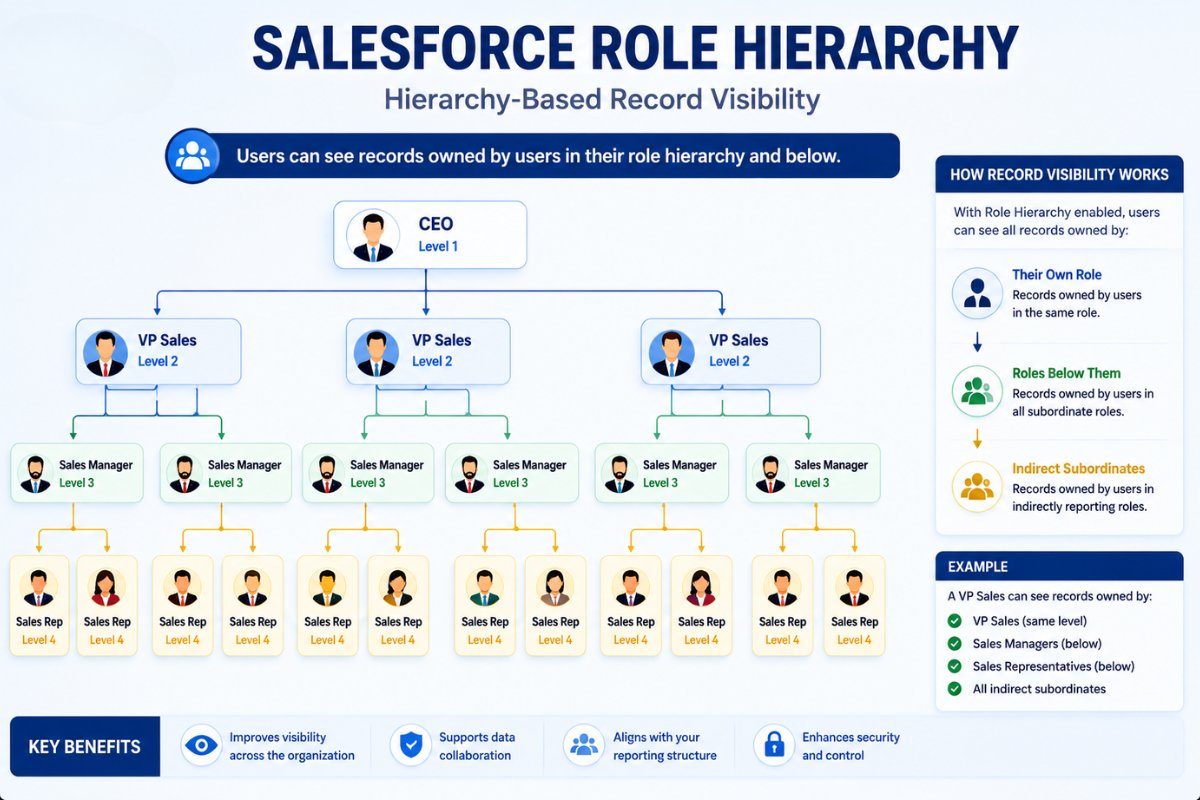
Imagine a company with this sales structure:
- CEO
- VP of Sales
- Sales Managers
- Sales Representatives
Now imagine every Opportunity record is private.
Without Role Hierarchy:
- managers cannot monitor team deals
- executives cannot track revenue
- forecasting becomes difficult
- reporting becomes incomplete
This is where Role Hierarchy solves the problem.
Salesforce automatically allows users higher in the hierarchy to access records owned by users below them.
That means:
- Sales Managers can see sales rep records
- VP of Sales can see manager records
- CEO can see everything below
This creates a structured visibility model.

What Is Role Hierarchy in Salesforce?
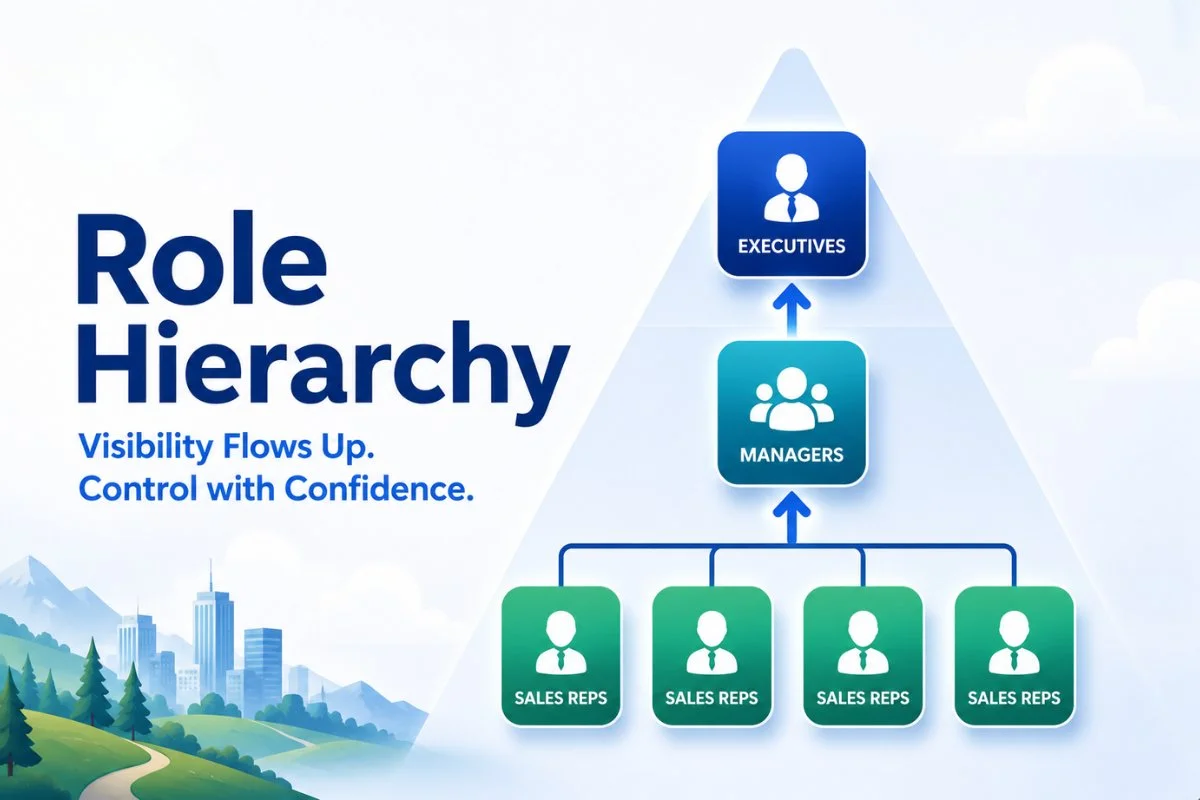
Role Hierarchy is a Salesforce security feature that opens record visibility upward in a hierarchy.
Users higher in the hierarchy gain access to records owned by users below them.
The important thing to understand is:
Role Hierarchy mainly controls record visibility, not object permissions.
This is where many beginners get confused.
For example:
- Profiles control what users can do
- Roles control what records users can see
If a manager can view Opportunities through Role Hierarchy but their profile does not allow editing Opportunities, they still cannot edit those records.
This layered security model is one reason Salesforce security feels complex initially.
Real Business Example of Role Hierarchy
Let’s take a realistic company example.
Team Structure
A company has:
- CEO
- VP of Sales
- North Region Sales Manager
- South Region Sales Manager
- Sales Representatives
Scenario
OWD for Opportunities is set to:
- Private
This means:
- sales reps can only see their own Opportunities
However:
- North Region Manager should see all Opportunities owned by North sales reps
- VP of Sales should see Opportunities from both regions
- CEO should see everything
Role Hierarchy automatically handles this visibility.
No manual sharing required.
Image Prompt

Role Hierarchy Does NOT Have to Match Company Org Chart
This is a very important concept many beginners miss.
Salesforce Role Hierarchy does not need to perfectly match the company’s HR org chart.
Instead, it should reflect:
- data visibility requirements
- record access needs
- reporting structure
For example:
a Junior Sales Rep and Senior Sales Rep may both use the same role if they need the same record visibility.
Similarly:
some executives may not require visibility into every department.
Salesforce roles should be designed around access requirements, not job titles alone.
How Role Hierarchy Works with OWD
Role Hierarchy becomes much easier once you understand Salesforce Organization-Wide Defaults (OWD)
OWD defines the baseline record access.
For example:
- Private
- Public Read Only
- Public Read/Write
Role Hierarchy then opens visibility upward from that baseline.
Example
If Opportunity OWD is:
- Private
Then:
- sales reps only see their own records
- managers gain visibility through hierarchy
- executives see records below them
Without Role Hierarchy, managers would need manual sharing access.

Difference Between Roles and Profiles
This is one of the most searched Salesforce security questions.
Many beginners confuse Roles and Profiles because both affect access.
However, they solve different problems.
| Component | Controls |
|---|---|
| Profiles | What users can do |
| Roles | What users can see |
For example:
A user may:
- have permission to edit Opportunities through profile
- but still cannot see Opportunity records due to sharing settings
Similarly:
a manager may see records through Role Hierarchy but cannot edit them if profile permissions are missing.
This is why Salesforce profiles vs permission sets guide is closely connected with Role Hierarchy.
Real Example: Support Team Visibility
Let’s take another business example.
Support Department Structure
- Support Director
- Support Managers
- Support Agents
Cases are highly sensitive.
OWD for Cases is:
- Private
However:
- Support Managers must monitor escalated cases
- Support Director needs reporting visibility
Role Hierarchy automatically provides access upward.
This avoids manually sharing thousands of records.
Grant Access Using Hierarchies
By default, standard Salesforce objects use hierarchy-based access.
However, custom objects allow more flexibility.
Admins can disable:
- Grant Access Using Hierarchies
for custom objects.
This means:
even managers higher in the hierarchy will not automatically gain record access.
This setting is commonly used for:
- confidential HR records
- payroll systems
- legal documents
- highly sensitive custom apps

Real-World Scenario: Multi-Department Company
Imagine this company structure:
Sales Department
- VP Sales
- Sales Managers
- Sales Reps
Support Department
- VP Support
- Support Managers
- Support Agents
Sales managers should NOT automatically see support cases.
Similarly:
support managers should NOT access sales opportunities.
Role Hierarchy creates separate visibility branches.
This keeps department data properly isolated.
Role Hierarchy vs Sharing Rules
Many beginners ask:
“If Role Hierarchy already gives access, why do we need Sharing Rules?”
Good question.
Role Hierarchy mainly opens visibility vertically.
Meaning:
- upward through management structure
However, companies often need horizontal sharing too.
Example
Suppose:
- Sales Team
- Marketing Team
Marketing users may need access to some Opportunities even though they are not in the sales hierarchy.
This is where Sharing Rules help.
Sharing Rules extend visibility across branches.
This is why understanding Role Hierarchy first makes Salesforce Sharing Rules with Real Examples much easier later.
Common Mistakes Admins Make with Role Hierarchy
Creating Too Many Roles
Some admins create roles for every single employee title.
This creates:
- complicated hierarchy trees
- difficult reporting structures
- admin confusion
Keep hierarchy simple.
Matching HR Org Chart Exactly
Salesforce hierarchy should reflect:
- data visibility
- access needs
not only company reporting structure.
Ignoring OWD Before Roles
Role Hierarchy works on top of OWD.
If OWD is already Public Read/Write, Role Hierarchy may not provide much value.
Always design security from the baseline upward.
Best Practices for Designing Role Hierarchy
Keep the Structure Simple
Use broader roles whenever possible.
Example:
Instead of:
- Junior Sales Rep
- Mid Sales Rep
- Senior Sales Rep
Use:
- Sales Representative
if visibility needs are identical.
Separate Departments Properly
Different business functions should usually stay in separate hierarchy branches.
Examples:
- Sales
- Finance
- Support
- HR
Review Visibility Requirements First
Before creating roles, ask:
- Who needs to see what?
- Which records are sensitive?
- Which managers require visibility?
Avoid Overengineering
Many small companies overcomplicate hierarchy unnecessarily.
Start simple.
Expand only when needed.

Real Enterprise Example
A healthcare company implemented Salesforce for:
- patient onboarding
- billing
- support
- provider management
Initially:
all users were placed in one role structure.
Result:
- support teams could see billing data
- onboarding teams accessed sensitive records
- security concerns increased
The company redesigned hierarchy into separate branches:
- Billing
- Support
- Operations
- Executive Leadership
Now visibility became controlled and scalable.
This is why role design matters heavily in enterprise Salesforce orgs.
Role Hierarchy and Salesforce Reports
Role Hierarchy also impacts reporting.
Managers often run reports using:
- “My Team’s Opportunities”
- “My Team’s Cases”
Salesforce automatically uses hierarchy visibility to generate these reports.
Without Role Hierarchy:
many management reports would fail.
This becomes important for:
- sales forecasting
- pipeline visibility
- executive dashboards
If you are learning reports too, this topic connects naturally with future articles on:
- Reports and Dashboards
- Dynamic Dashboards
- Salesforce Analytics
Role Hierarchy for Salesforce Admin Interviews
This is one of the most common admin interview topics.
Interviewers often ask:
“How does Role Hierarchy work with OWD?”
Or:
“What is the difference between Roles and Profiles?”
Strong answers usually include:
- record visibility
- upward sharing
- OWD interaction
- manager access examples
This topic is also important for:
- Salesforce Admin Certification
- Platform App Builder
- Security-focused interviews
The Simplest Way to Remember Role Hierarchy
If you forget everything else, remember this:
Role Hierarchy allows users higher in the hierarchy to access records owned by users below them.
That’s the core idea.
Conclusion
Understanding Salesforce role hierarchy diagram is essential for managing record visibility in real business environments.
It helps companies:
- organize access properly
- simplify manager visibility
- improve reporting
- avoid manual record sharing
Role Hierarchy works together with:
- OWD
- Profiles
- Permission Sets
- Sharing Rules
to create Salesforce’s layered security model.
When designed correctly, it keeps Salesforce secure while still allowing managers and executives to access the records they need.
If you are learning Salesforce Administration seriously, mastering Role Hierarchy will help you understand much larger security concepts later.
FAQs
What is Role Hierarchy in Salesforce?
Role Hierarchy is a Salesforce security feature that automatically opens record visibility upward in a hierarchy structure.
Does Role Hierarchy control object permissions?
No. Profiles control object permissions. Role Hierarchy controls record visibility.
Does Role Hierarchy work with OWD?
Yes. OWD defines baseline visibility, and Role Hierarchy opens visibility further upward.
Can Role Hierarchy be different from company org chart?
Yes. Salesforce hierarchy should be designed based on access requirements, not just job titles.
What is the difference between Roles and Profiles?
Profiles control what users can do, while Roles control what records users can see.
Can managers edit records through Role Hierarchy?
Only if their profile permissions allow editing. Role Hierarchy alone does not grant edit permissions.