





A lot of Salesforce beginners first see this error while working with:
- Apex triggers
- Record Triggered Flows
- User onboarding automation
- Permission Set assignments
- Experience Cloud user creation
Everything looks correct at first.
The Flow activates successfully.
The Apex code compiles without issues.
Then Salesforce suddenly throws this error:
MIXED_DML_OPERATIONThis usually confuses beginners because the issue is not related to syntax.
The real problem is transaction behavior.
Once you understand how Salesforce handles setup objects and business objects internally, this error becomes much easier to troubleshoot.
What is Mixed DML Operation Error?
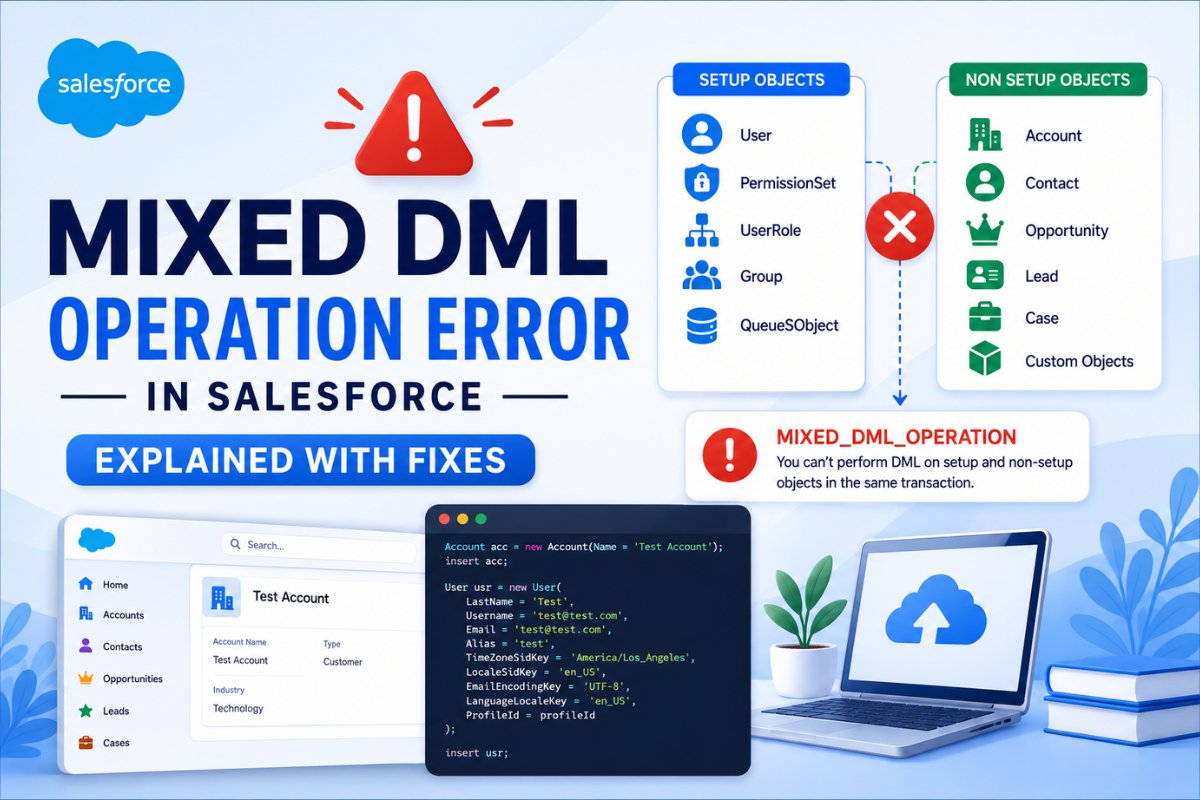
Mixed DML Operation error happens when Salesforce tries to modify:
- setup objects
and - non setup objects
inside the same transaction.
For example:
- inserting an Account
and then - creating a User
during one execution context.
Salesforce blocks this because setup objects directly affect:
- security
- sharing
- access permissions
- organization configuration
This restriction exists to maintain platform level security consistency.
Understanding Setup vs Non Setup Objects
This is the most important concept behind the error.
Setup Objects
Setup objects affect user access and organization configuration.
Examples include:
| Setup Objects |
|---|
| User |
| UserRole |
| PermissionSet |
| PermissionSetAssignment |
| Group |
| QueueSObject |
These objects impact security and permissions.
Non Setup Objects
These are regular business records used in CRM operations.
| Non Setup Objects |
|---|
| Account |
| Contact |
| Opportunity |
| Lead |
| Case |
| Custom Objects |
These records represent normal business data.
[IMAGE PROMPT: create a clean Salesforce infographic comparing setup objects vs non setup objects with examples like User, PermissionSet, Account, Contact using modern Salesforce blue colors and beginner friendly design]
If you are still learning how Salesforce security works internally, understanding Salesforce Roles vs Profiles and Salesforce Permission Sets for Beginners helps a lot because setup objects are closely connected with permissions and access management.
Why Salesforce Blocks Mixed DML Operations
Many beginners ask:
“If both records are valid, why does Salesforce stop them?”
The answer is security consistency.
Setup objects can immediately change:
- user access
- sharing visibility
- security behavior
- record permissions
Imagine Salesforce updating a User or Permission Set while simultaneously modifying business records inside the same transaction.
Access calculations could become inconsistent during execution.
To avoid that, Salesforce separates these operations internally.
That is why this error is deeply connected with Salesforce transaction architecture.
Real Apex Example That Causes the Error
This is one of the most common examples beginners encounter.
Account acc = new Account(Name = 'Test Account');
insert acc;

User usr = new User(
    LastName = 'Test',
    Alias = 'test',
    Email = '[email protected]',
    Username = '[email protected]',
    TimeZoneSidKey = 'America/Los_Angeles',
    LocaleSidKey = 'en_US',
    EmailEncodingKey = 'UTF-8',
    LanguageLocaleKey = 'en_US',
    ProfileId = profileId
);

insert usr;
This throws:
MIXED_DML_OPERATIONBecause:
- Account is a non setup object
- User is a setup object
Both are being updated inside the same transaction.
[IMAGE PROMPT: create a Salesforce developer diagram showing Account insert and User insert inside one transaction causing Mixed DML Operation error with red warning message and clean coding UI]
If you are new to Apex development, understanding Apex triggers and SOQL queries first makes transaction errors much easier to understand later.
- Apex Trigger in Salesforce: Complete Beginner Guide with Examples
- SOQL Query Examples for Beginners in Salesforce (2026 Guide)
Common Real World Scenarios Where This Happens
This error appears very frequently in real Salesforce projects.
User Onboarding Automation
A company creates automation that:
- creates Contact
- creates User
- assigns Permission Set
during employee onboarding.
This is one of the most common Mixed DML scenarios.
Permission Set Assignment in Flow
Suppose a Flow:
- updates an Account
- assigns a Permission Set
inside the same execution path.
This often causes Mixed DML issues.
Experience Cloud Registration
Creating:
- Contact
and - User
together during registration can trigger the error.
Trigger Based User Creation
Many beginners attempt something like:
Account Trigger → Create UserThis almost always creates transaction problems.
How to Fix Mixed DML Operation Error
The core solution is simple:
Move setup object operations into a separate transaction.
There are multiple ways to do this depending on the use case.
Fix 1: Use Future Methods
Future methods move processing into asynchronous execution.
This creates a separate transaction automatically.
public class UserUtility {

    @future
    public static void createUserAsync() {

        User usr = new User(
            LastName = 'Future User',
            Alias = 'future',
            Email = '[email protected]',
            Username = '[email protected]',
            TimeZoneSidKey = 'America/Los_Angeles',
            LocaleSidKey = 'en_US',
            EmailEncodingKey = 'UTF-8',
            LanguageLocaleKey = 'en_US',
            ProfileId = profileId
        );

        insert usr;
    }
}
Now call it separately:
Account acc = new Account(Name='Test');
insert acc;

UserUtility.createUserAsync();
Now Salesforce processes:
- Account insertion
and - User creation
in separate transactions.
That removes the conflict.

Fix 2: Use Queueable Apex
Modern Salesforce development often prefers Queueable Apex instead of Future methods.
Why developers prefer Queueable:
| Feature | Future Method | Queueable Apex |
|---|---|---|
| Monitoring | Limited | Better |
| Job Chaining | No | Yes |
| Complex Logic | Limited | Better |
| Recommended Today | Medium | High |
Queueable Apex follows the same idea:
Move setup related processing into another transaction.
If you are learning asynchronous Apex concepts, later you should also explore Governor Limits because asynchronous processing is heavily connected with Salesforce execution limits.
Fix 3: Use Asynchronous Paths in Flow
This is extremely important for Salesforce admins.
Record Triggered Flows support:
- Asynchronous Paths
- Scheduled Paths
Instead of assigning permissions immediately, Salesforce executes the setup operation later in a separate transaction.
This is one of the cleanest Flow based solutions available today.
Admins working with automation should understand transaction behavior properly because many Flow issues are transaction related.

Fix 4: Use System.runAs in Test Classes
In Apex test methods, Salesforce provides a workaround using:
System.runAs()Example:
System.runAs(currentUser) {
    insert new User(...);
}
This separates execution context during testing and helps avoid Mixed DML restrictions in test classes.
Common Beginner Mistakes
Creating Users Inside Triggers
This is one of the biggest beginner mistakes.
Example:
- Account Trigger
- creates User
- assigns Permission Set
This usually leads to transaction issues very quickly.
Forgetting That PermissionSetAssignment is a Setup Object
Many beginners assume PermissionSetAssignment behaves like a normal object.
But it directly affects permissions and security.
Running Everything Synchronously
Salesforce architecture relies heavily on asynchronous processing.
Trying to execute all operations immediately inside one transaction often creates avoidable problems.
Best Practices to Avoid Mixed DML Errors
Keep Security Automation Separate
Handle:
- User creation
- Role assignment
- Permission updates
inside separate asynchronous processes whenever possible.
Prefer Queueable Apex for Modern Projects
Queueable Apex is generally easier to scale and monitor compared to older Future method patterns.
Design Flow Transactions Carefully
Avoid combining:
- security related operations
and - business record updates
inside immediate Flow execution.
Understand Transaction Boundaries
This is the real long term solution.
Once developers understand transaction behavior properly, many Salesforce errors become easier to debug.
Interview Perspective
Mixed DML is a very common Salesforce developer interview topic.
Interviewers frequently ask:
- What is Mixed DML Operation error?
- Difference between setup and non setup objects
- Why Salesforce restricts Mixed DML
- How to fix Mixed DML errors
- Future Method vs Queueable Apex
A practical understanding matters much more than memorized definitions.
Pro Tip from Real Projects
In enterprise Salesforce implementations, Mixed DML issues often appear during:
- onboarding automation
- Experience Cloud registration
- permission provisioning
- user deactivation flows
A stable architecture usually looks like this:
Business Record Processing
        ↓
Async User / Permission Processing
This structure scales much better as automation becomes more complex.
Conclusion
Mixed DML Operation errors confuse many beginners because the code itself usually looks valid.
But this error is not really about syntax.
It is about:
- transaction behavior
- setup object processing
- security consistency
- asynchronous execution
Once you understand setup vs non setup objects and how Salesforce handles transactions internally, these errors become much easier to troubleshoot.
And more importantly, you start understanding how Salesforce protects access and security behind the scenes.
FAQs
What is Mixed DML Operation error in Salesforce?
Mixed DML Operation error happens when setup objects and non setup objects are modified inside the same transaction. Salesforce blocks this to maintain security consistency.
What are setup objects in Salesforce?
Setup objects are objects related to permissions, users, security, and organization configuration. Examples include User, PermissionSet, UserRole, and Group.
How do developers fix Mixed DML errors?
Developers usually fix Mixed DML errors by moving setup object operations into asynchronous transactions using Future methods or Queueable Apex.
Can Salesforce Flow cause Mixed DML errors?
Yes. Record Triggered Flows can trigger Mixed DML errors when setup objects and business objects are updated together in the same transaction.
Why does Salesforce restrict Mixed DML operations?
Salesforce restricts Mixed DML operations because setup objects directly affect permissions and sharing behavior. Mixing them with business data updates could create inconsistent access calculations.


