One of the biggest frustrations for Salesforce developers happens when perfectly working code suddenly fails with errors like:
- Too many SOQL queries: 101
- Too many DML statements: 151
- Apex CPU time limit exceeded
- Heap size too large
For beginners, these errors can feel confusing and random.
But in reality, Salesforce Governor Limits are one of the most important concepts in Salesforce development because they directly affect how Apex code, Flows, triggers, and integrations work.
If you want to become a good Salesforce developer or architect, understanding governor limits is absolutely essential.
In this guide, you’ll learn:
- What Salesforce Governor Limits are
- Why Salesforce uses them
- Most important Apex limits
- Real examples of limit errors
- How to avoid governor limit exceptions
- Best practices used in real projects
What Are Salesforce Governor Limits?
Salesforce Governor Limits are runtime restrictions enforced by Salesforce to ensure that no single process consumes too many shared resources.
These limits apply to:
- Apex code
- SOQL queries
- DML operations
- CPU processing
- API calls
- Heap memory
- Async processing
If your code crosses a governor limit, Salesforce immediately stops execution and throws an exception.
This protects platform performance for all customers.
In simple words:
Governor Limits prevent one Salesforce org from slowing down other orgs on the same server.
Why Salesforce Uses Governor Limits
Salesforce runs on a multi-tenant architecture.
That means thousands of organizations share the same Salesforce infrastructure.
Think of it like an apartment building.
Every apartment shares:
- electricity
- internet bandwidth
- water
- storage resources
If one apartment consumes everything, other apartments suffer.
Salesforce works similarly.
Governor Limits ensure fair resource sharing across all organizations.

If you are still learning Salesforce architecture concepts, these guides will help:
- Salesforce Organization-Wide Defaults (OWD) Explained
- Salesforce Roles vs Profiles with Real Examples
- Salesforce Sharing Rules with Real Examples
Types of Salesforce Governor Limits
Salesforce has several categories of limits.
Per Transaction Apex Limits
These limits apply during one Apex transaction.
Examples:
- SOQL query limits
- DML statement limits
- CPU time limits
Static Apex Limits
These remain fixed regardless of execution size.
Examples:
- Maximum Apex code size
- Maximum class size
Size-Specific Limits
These relate to memory and payload limits.
Examples:
- Heap size
- API request size
- Email attachment size
Async Apex Limits
These apply to:
- Batch Apex
- Queueable Apex
- Future Methods
Async processing usually receives larger limits.
If you are learning asynchronous processing, also read:
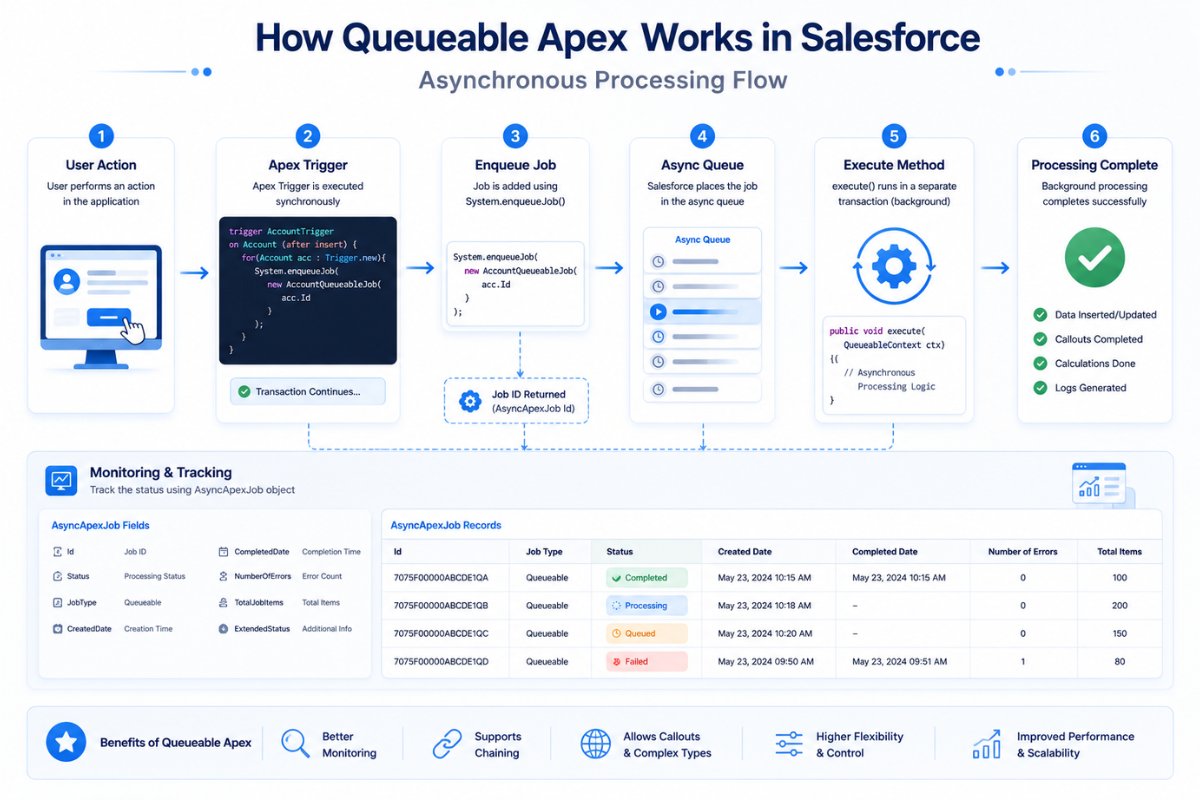
- Queueable Apex in Salesforce asynchronous processing workflow
- Batch Apex in Salesforce: Complete Guide with Real Examples
- Queueable Apex in Salesforce for Beginners: Complete Async Processing Guide
Most Important Salesforce Governor Limits
These are the most common limits developers hit.
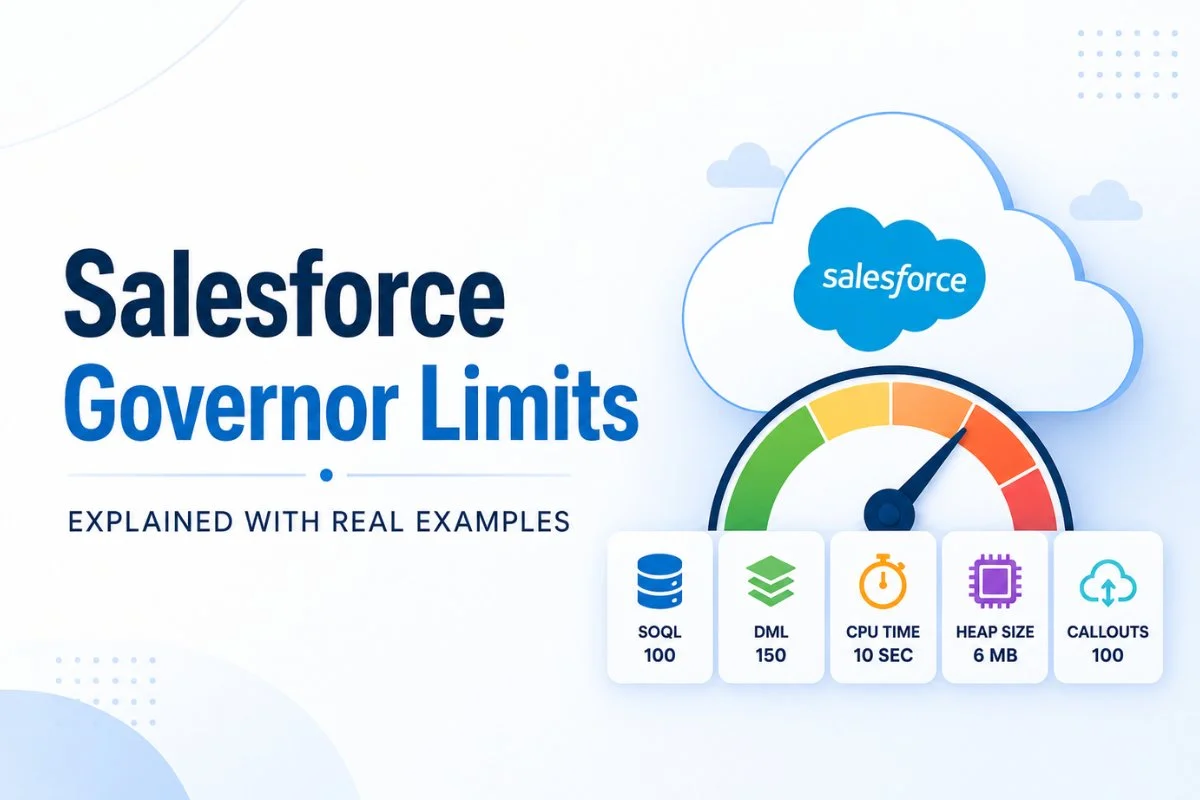
| Governor Limit | Synchronous Limit |
|---|---|
| SOQL Queries | 100 |
| DML Statements | 150 |
| Records Retrieved by SOQL | 50,000 |
| CPU Time | 10 Seconds |
| Heap Size | 6 MB |
| Callouts | 100 |
| Future Calls | 50 |
| Queueable Jobs | 50 |
Every Salesforce developer should understand these limits properly.

SOQL 100 Limit Explained
One of the most common errors is:
Too many SOQL queries: 101
Salesforce allows:
- Maximum 100 SOQL queries
- per synchronous transaction
Bad Example: SOQL Inside Loop
for(Account acc : accounts){

    Contact con = [
        SELECT Id
        FROM Contact
        WHERE AccountId = :acc.Id
        LIMIT 1
    ];
}
This becomes dangerous because every loop iteration executes another SOQL query.
If the loop processes more than 100 records, Salesforce throws an exception.
Correct Bulkified Example
Set<Id> accountIds = new Set<Id>();

for(Account acc : accounts){
    accountIds.add(acc.Id);
}

List<Contact> contacts = [
    SELECT Id, AccountId
    FROM Contact
    WHERE AccountId IN :accountIds
];
This approach uses only one SOQL query.
This technique is called bulkification.
Bulkification is one of the most important Salesforce development skills.
Related Guides:
- SOQL Query Examples for Beginners in Salesforce (2026 Guide)
- Salesforce Inspector Reloaded Guide for Beginners and Developers
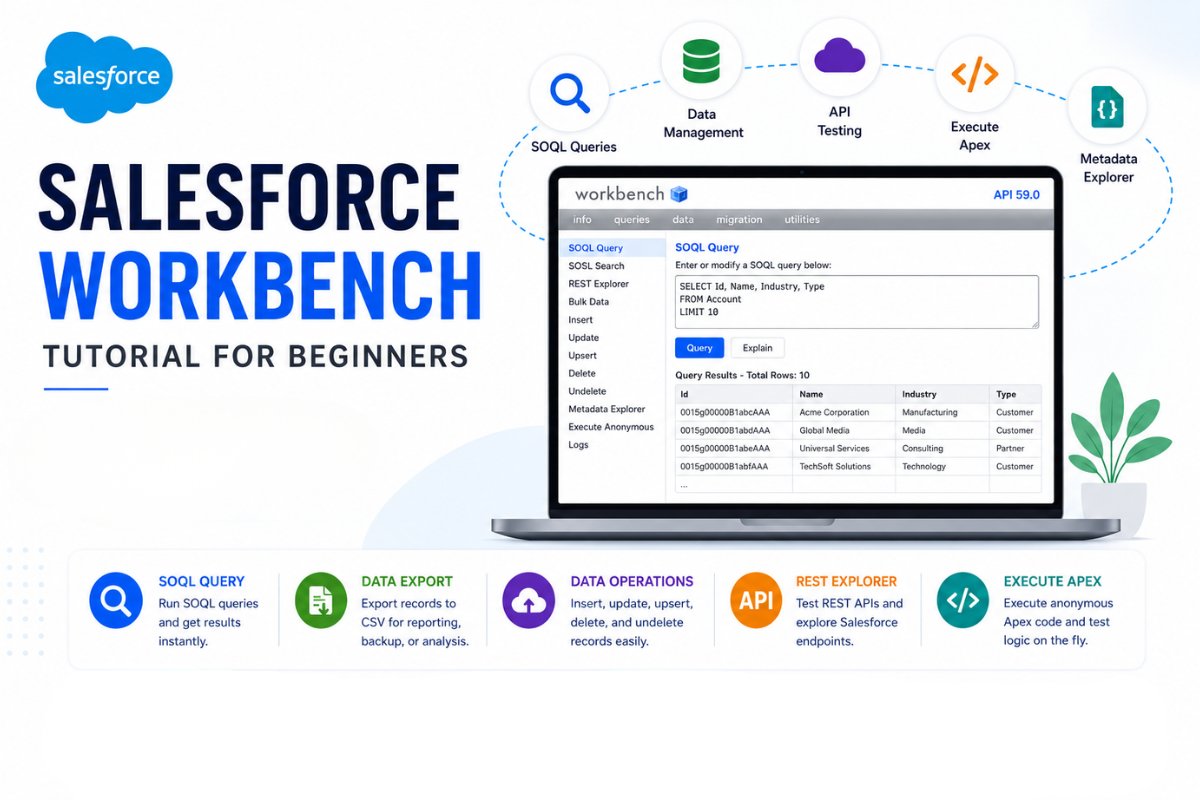
- Salesforce Workbench tutorial
- Apex Trigger Tutorial for Beginners in Salesforce
DML 150 Limit Explained
Salesforce allows:
- Maximum 150 DML statements
- per transaction
DML operations include:
- insert
- update
- delete
- undelete
- upsert
Bad Example: DML Inside Loop
for(Account acc : accounts){

    update acc;
}
This quickly causes:
Too many DML statements: 151
Correct Optimized Example
List<Account> updateAccounts = new List<Account>();

for(Account acc : accounts){

    acc.Description = 'Updated';
    updateAccounts.add(acc);
}

update updateAccounts;
Bulk DML operations are always better than individual DML operations inside loops.
CPU Time Limit Explained
Salesforce also limits CPU execution time.
Current synchronous CPU limit:
- 10 seconds
Async Apex receives larger CPU limits.
Common Causes of CPU Limit Errors
Developers usually hit CPU limits because of:
- Nested loops
- Recursive triggers
- Heavy Flow automation
- Poorly optimized code
- Large data processing
- Too much automation running together
Example of Bad CPU Usage
for(Account acc : accounts){

    for(Contact con : contacts){

        if(con.AccountId == acc.Id){

        }
    }
}
Nested loops increase CPU consumption heavily.
Better Optimized Approach
Map<Id, List<Contact>> contactsMap = new Map<Id, List<Contact>>();Using Maps improves performance significantly.
If you are learning Apex optimization, also read:
- Apex Test Classes for Beginners in Salesforce
- Salesforce Developer Console Tutorial for Beginners
- Salesforce Validation Rules with Real Examples for Beginners
Heap Size Limit Explained
Heap size represents memory used during execution.
Synchronous Apex heap limit:
- 6 MB
Async Apex heap limit:
- 12 MB
Common Heap Size Problems
Developers usually hit heap limits because of:
- Large collections
- Huge JSON payloads
- Querying unnecessary fields
- Processing large API responses
Example of Poor Heap Usage
List<Account> accounts = [
    SELECT Id, Name, Description
    FROM Account
];
If millions of records exist, memory usage becomes very high.
Always query only required fields.
Governor Limits in Async Apex
Async Apex receives larger limits.
Examples:
| Feature | Synchronous | Async |
|---|---|---|
| SOQL Queries | 100 | 200 |
| Heap Size | 6 MB | 12 MB |
| CPU Time | 10 sec | 60 sec |
Async tools include:
- Future Methods
- Queueable Apex
- Batch Apex
- Scheduled Apex
This is why async processing becomes extremely important in enterprise Salesforce projects.
Related Articles:
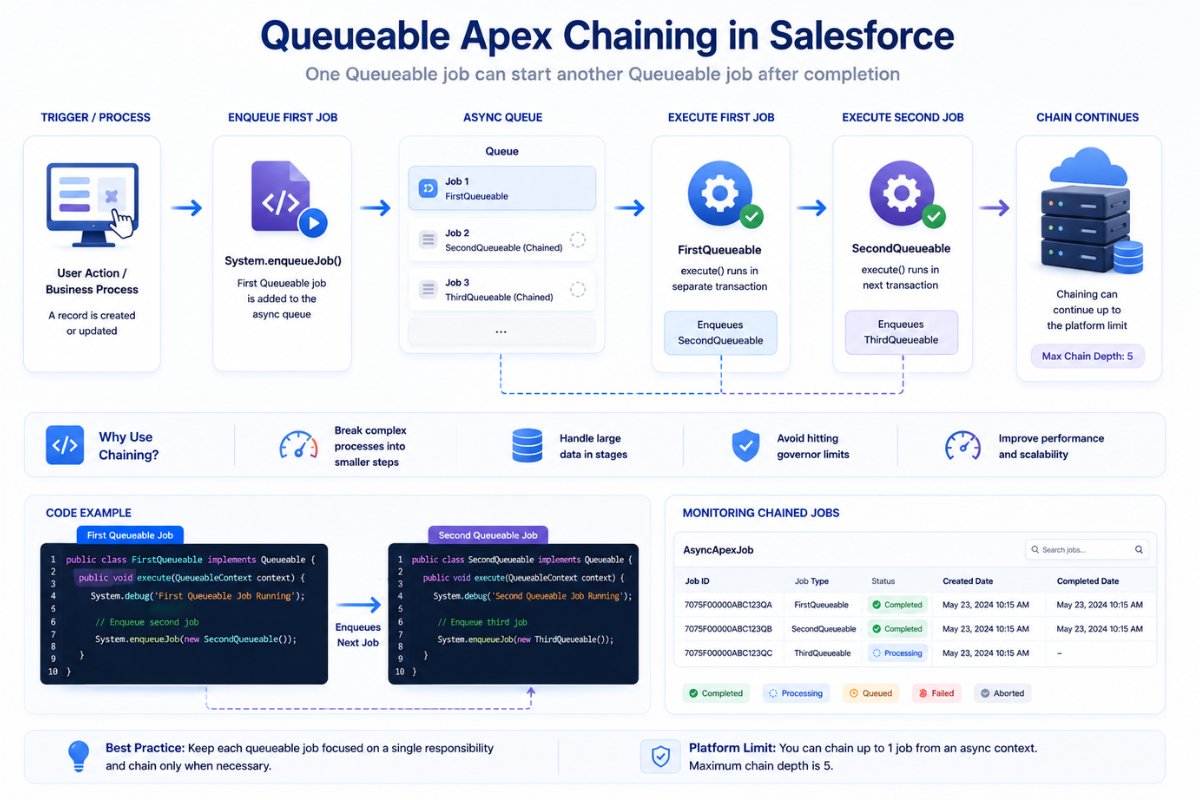
- Queueable Apex chaining workflow in Salesforce
- Batch Apex for Salesforce tutorial
- Salesforce REST API Tutorial for Beginners with Real Integration Examples
- Salesforce Governor Limits with Real Examples and Best Practices
Real Project Example
Suppose a company imports:
- 100,000 Lead records
A trigger runs after insert and:
- creates Tasks
- updates Accounts
- sends API callouts
If everything runs synchronously:
- SOQL limits fail
- CPU limits fail
- DML limits fail
Better Enterprise Solution
Professional Salesforce teams usually:
- move processing to Queueable Apex
- use Batch Apex
- split processing into chunks
- optimize SOQL queries
- reduce trigger complexity
This is how enterprise Salesforce systems remain scalable.
Governor Limits vs Salesforce Limits
Many beginners confuse these concepts.
Governor Limits
These apply during code execution.
Examples:
- SOQL limits
- DML limits
- CPU limits
Salesforce Org Limits
These apply at organization level.
Examples:
- API request limits
- File storage limits
- Data storage limits
Both concepts are completely different.
Common Beginner Mistakes
SOQL Inside Loops
Most common beginner mistake.
DML Inside Loops
Creates unnecessary DML operations.
Recursive Triggers
Triggers updating the same object repeatedly.
Too Much Automation
Combining:
- Flows
- Apex
- Process Builder
- Validation Rules
can increase CPU usage significantly.
Querying Unnecessary Fields
Extra fields increase heap usage.
Best Practices to Avoid Governor Limits
Bulkify Everything
Always design code for multiple records.
Use Collections
Use:
- Lists
- Sets
- Maps
instead of repeated queries.
Avoid Nested Loops
Nested loops increase CPU usage heavily.
Use Async Processing
Move heavy logic into:
- Queueable Apex
- Batch Apex
Optimize SOQL Queries
Only query fields you actually need.
Monitor Limits Programmatically
Salesforce provides Limits methods.
System.debug(Limits.getQueries());

System.debug(Limits.getLimitQueries());
These methods help monitor resource consumption.
Real-World Governor Limit Errors
Common runtime exceptions include:
| Error | Meaning |
|---|---|
| Too many SOQL queries: 101 | SOQL limit exceeded |
| Too many DML statements: 151 | DML limit exceeded |
| Apex CPU time limit exceeded | CPU usage too high |
| Heap size too large | Memory exceeded |
| Too many future calls | Future method limit exceeded |
Understanding these errors helps developers debug issues much faster.
Why Governor Limits Make You a Better Developer
Many beginners dislike governor limits initially.
But governor limits actually encourage:
- scalable code
- efficient architecture
- optimized automation
- enterprise-grade development
- better application performance
Without limits, poorly designed code could easily destroy platform stability.
Final Thoughts
Salesforce Governor Limits are one of the most important concepts in Salesforce development because they directly influence how scalable applications are designed.
Once you understand:
- SOQL limits
- DML limits
- CPU usage
- heap memory
- async processing
you can build much more reliable Salesforce applications.
Almost every advanced Salesforce topic eventually connects back to governor limits in some way.
That is why experienced Salesforce developers always design solutions while keeping limits in mind from the beginning.
FAQs
What are Salesforce Governor Limits?
Salesforce Governor Limits are runtime restrictions that control resource usage in the Salesforce multi-tenant environment.
Why does Salesforce use Governor Limits?
Salesforce uses governor limits to ensure fair resource sharing and maintain platform performance for all organizations.
What is the SOQL query limit in Salesforce?
Salesforce allows:
- 100 SOQL queries
- per synchronous Apex transaction
What is the DML limit in Salesforce?
Salesforce allows:
- 150 DML statements
- per transaction
How can developers avoid governor limits?
Developers can avoid governor limits by:
- bulkifying code
- avoiding SOQL in loops
- using collections
- optimizing queries
- using async Apex processing