


Component communication is one of the most important concepts in Salesforce Lightning Web Components. In real Salesforce applications, components constantly exchange data with each other to create dynamic and interactive user experiences.
One of the most common communication patterns in LWC is Parent to Child Communication.
In this approach, the parent component passes data, methods, or actions to the child component.
If you are learning Lightning Web Components, you should first understand concepts likeSalesforce LWC Lifecycle Hooks Explained with Real Examples, Salesforce @wire Decorator in LWC with Real Examples, and How to Call Apex Imperatively in Salesforce LWC because these topics are heavily connected with component communication in real projects.
What Is Parent to Child Communication in LWC?
Parent to Child Communication in Lightning Web Components allows a parent component to send data or trigger actions inside a child component.
This communication happens because:
- The parent component contains the child component
- The child exposes public properties or methods using
@api
This is one of the core concepts used in reusable Salesforce UI development and enterprise component architecture.
In large Salesforce applications, parent-child communication is often combined with concepts like RefreshApex in LWC: Keep Salesforce Data Updated in Real Time, Salesforce REST API Tutorial for Beginners with Real Integration Examples, and Queueable Apex in Salesforce for Beginners: Complete Async Processing Guide to build scalable applications.
Why Parent to Child Communication Is Important
Large Salesforce applications are built using multiple reusable components instead of one giant component.
For example:
- Dashboard components
- Record detail sections
- Product cards
- Search panels
- Popup modals
- Dynamic forms
- Reusable filter components
Instead of writing duplicate UI logic, developers create reusable child components and control them from the parent component.
This improves:

- Maintainability
- Scalability
- Reusability
- Performance
- Code organization
This architecture is commonly used withSalesforce DevOps Center Made Simple for Beginners andSalesforce Change Sets Explained for Beginners during enterprise deployments.
Real-World Example
Imagine an e-commerce Salesforce application.
The parent component:
- Displays a product list
The child component:
- Displays selected product details
When a user clicks a product, the parent sends product information to the child component.
This is parent-to-child communication.
In enterprise Salesforce applications, this pattern is also used in:
- Service Cloud dashboards
- Sales pipelines
- Account detail pages
- Approval systems
- Dynamic report filters
Developers who already understand Apex Trigger Tutorial for Beginners in Salesforce and Batch Apex in Salesforce: Complete Guide with Real Examples can easily relate these UI interactions with backend business logic.
How Parent to Child Communication Works
The communication flow looks like this:
- Parent component stores data
- Child component exposes public property using
@api - Parent passes value using HTML attributes
- Child receives and displays data
This flow becomes even more powerful when combined with Salesforce @wire Decorator in LWC with Real Examples because wired data can directly flow into child components reactively.

Method 1: Parent to Child Communication Using Public Properties
This is the most common communication method in Lightning Web Components.
The child component exposes a public property using @api.
The parent passes data using component attributes.
This approach is widely used together with Imperative Apex Call in LWC with Real Project Examples, especially when parent components fetch records from Apex and pass them to reusable child components.
Step 1: Create Child Component
childComponent.js
import { LightningElement, api } from 'lwc';

export default class ChildComponent extends LightningElement {

    @api message;
}
childComponent.html
<template>

    <div class="slds-box">

        Message From Parent:

        <strong>{message}</strong>

    </div>

</template>
Step 2: Create Parent Component
parentComponent.js
import { LightningElement } from 'lwc';

export default class ParentComponent extends LightningElement {

    parentMessage =
        'Hello From Parent Component';
}
parentComponent.html
<template>

    <c-child-component
        message={parentMessage}>
    </c-child-component>

</template>
How This Works
The parent sends:
message={parentMessage}The child receives it using:
@api message;This creates dynamic communication between components.
This reactive behavior works similarly to concepts explained in Salesforce @wire Decorator in LWC with Real Examples where changes automatically update the UI.
Understanding the @api Decorator
The @api decorator makes a property public.
Without @api, the property remains private to the child component.
Example:
@api message;This allows the parent component to access and update the value.
Understanding decorators is extremely important before learning advanced topics like:
- refreshApex in LWC
- Lightning Message Service
- Imperative Apex Calls
- LWC Lifecycle Hooks
Dynamic Parent to Child Communication Example
In real Salesforce projects, data changes dynamically.
Let’s create a live update example.
Parent Component
parentDynamic.js
import { LightningElement } from 'lwc';

export default class ParentDynamic extends LightningElement {

    userName = '';

    handleChange(event) {

        this.userName = event.target.value;
    }
}
parentDynamic.html
<template>

    <lightning-input
        label="Enter Name"
        onchange={handleChange}>
    </lightning-input>

    <c-child-dynamic
        username={userName}>
    </c-child-dynamic>

</template>
Child Component
childDynamic.js
import { LightningElement, api } from 'lwc';

export default class ChildDynamic extends LightningElement {

    @api username;
}
childDynamic.html
<template>

    <p>

        Username From Parent:

        {username}

    </p>

</template>
As the parent input changes, the child component updates automatically.
This happens because LWC properties are reactive.
Reactive architecture is also a major concept in Salesforce LWC Lifecycle Hooks Explained with Real Examples and RefreshApex in LWC: Keep Salesforce Data Updated in Real Time
Parent to Child Communication Using Public Methods
Parents can also call child component methods directly.
This is useful when the parent wants to:
- Trigger actions
- Reset child state
- Open modals
- Refresh data
- Execute logic
- Clear forms
- Start validations
This pattern is frequently used in enterprise apps that also use Salesforce Validation Rules with Real Examples for Beginners
Child Component
childMethod.js
import { LightningElement, api } from 'lwc';

export default class ChildMethod extends LightningElement {

    message = '';

    @api
    updateMessage(value) {

        this.message = value;
    }
}
childMethod.html
<template>

    <div>

        {message}

    </div>

</template>
Parent Component
parentMethod.js
import { LightningElement } from 'lwc';

export default class ParentMethod extends LightningElement {

    handleClick() {

        const childComp =
            this.template.querySelector(
                'c-child-method'
            );

        childComp.updateMessage(
            'Updated From Parent'
        );
    }
}
parentMethod.html
<template>

    <lightning-button
        label="Update Child"
        onclick={handleClick}>
    </lightning-button>

    <c-child-method>
    </c-child-method>

</template>
querySelector() in Parent to Child Communication
The parent uses:
this.template.querySelector()to access child components.
This is heavily used in enterprise Salesforce projects.
Developers working with Salesforce Inspector Reloaded Guide for Beginners and Developers often use browser inspection tools to debug querySelector issues inside LWC components.
You should also understand:
- DOM rendering
- Lifecycle hooks
- Reactive rendering
- Conditional templates
These concepts are deeply connected with Salesforce @wire Decorator in LWC with Real Examples
Real Salesforce Use Cases
Search Components
Parent sends search text to child result component.
Often integrated with Salesforce REST API Tutorial for Beginners with Real Integration Examples
Product Catalogs
Parent sends selected product details dynamically.
Dashboard Filters
Parent sends filter values to child charts and analytics widgets.
Popup Components
Parent opens or closes modal child components.
Multi-Step Forms
Parent controls child form sections dynamically.
These architectures are common in enterprise implementations using Salesforce DevOps Center Made Simple for Beginners and Salesforce Change Sets Explained for Beginners.
Parent to Child Communication vs Child to Parent Communication
| Communication Type | Direction |
|---|---|
| Parent to Child | Parent sends data |
| Child to Parent | Child dispatches events |
Child-to-parent communication usually uses:
- Custom Events
- dispatchEvent()
This concept is often used together with parent-child communication to build complete reusable applications.
Common Mistakes Beginners Make
Forgetting @api
Wrong:
message;Correct:
@api message;Without @api, the parent cannot access the property.
Accessing Child Before Render
Wrong:
constructor() {

    this.template.querySelector();
}
Child DOM is not available yet.
Use:
renderedCallback()- Event handlers
This behavior is explained in detail in Salesforce LWC Lifecycle Hooks Explained with Real Examples.
Overusing querySelector()
Avoid unnecessary imperative communication.
Prefer declarative property passing whenever possible.
This keeps components cleaner and easier to maintain.
Best Practices for Parent-Child Communication
Use Public Properties for Simple Data
This is cleaner and easier to maintain.
Use Public Methods for Actions
Useful for triggering behavior.
Keep Components Reusable
Avoid tightly coupling parent and child logic.
Avoid Deep Component Nesting
Too many nested components reduce maintainability.
Use Clear Property Names
Example:
@api accountName;instead of:
@api data;Combine with Apex Carefully
If parent data comes from Apex, make sure you understand:
- How to Call Apex Imperatively in Salesforce LWC
- RefreshApex in LWC workflow
- Salesforce Governor Limits with Real Examples and Best Practices

Parent to Child Communication with Apex Data
Very common enterprise pattern:
- Parent fetches Apex data
- Parent sends records to child
- Child displays reusable UI
This is widely used with:
@wire- Imperative Apex
- refreshApex()
If you are learning this architecture, you should also read:
- Salesforce @wire Decorator in LWC with Real Examples
- How to Call Apex Imperatively in Salesforce LWC
- RefreshApex in LWC: Keep Salesforce Data Updated in Real Time
Advanced Enterprise Communication Patterns
Large Salesforce applications often combine:
- Parent-to-child communication
- Child-to-parent events
- Lightning Message Service
- Pub/Sub
- Apex data sharing
- Platform events
This creates scalable enterprise architectures.
These advanced concepts are commonly integrated with:
- Queueable Apex in Salesforce for Beginners: Complete Async Processing Guide
- Batch Apex for Salesforce tutorial
- Salesforce REST API Tutorial for Beginners with Real Integration Examples
- Salesforce Governor Limits

Performance Considerations
Parent-to-child communication is very fast because it uses direct component relationships.
However:
- Avoid excessive rerendering
- Avoid unnecessary property updates
- Avoid large object passing repeatedly
Performance optimization becomes important in enterprise applications that also use:
- Salesforce Governor Limits with Real Examples and Best Practices
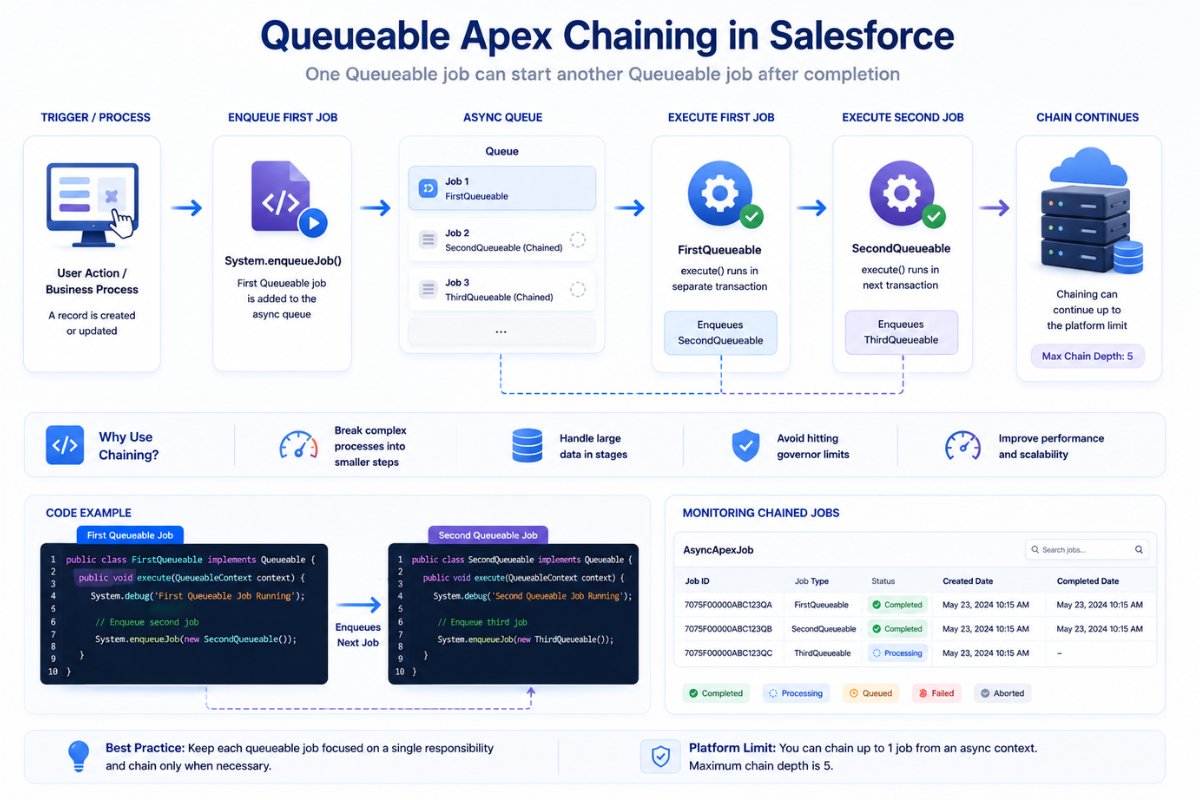
- Queueable Apex chaining workflow in Salesforce
- Batch Apex for Salesforce tutorial
Final Thoughts
Parent to Child Communication is one of the foundational concepts in Salesforce Lightning Web Components.
Almost every real-world Salesforce application uses this communication pattern for:
- Passing data
- Triggering actions
- Building reusable UI
- Managing dynamic interfaces
Understanding:
@api- Public properties
- Public methods
- querySelector()
is essential for becoming a strong Salesforce LWC developer.
As you continue learning Lightning Web Components, you should also explore: